
Creating consistent characters is essential for AI filmmaking. Sometimes it’s easy to generate images of a consistent character, but when those images are turned into video, the character starts to look different when they turn or move. What we need to show our AI model is what our character looks like from every angle we plan to show them in.
I use a technique that allows you to take a single photo of your subject, turn it into a reference sheet, and then use that as an element for generating videos or images with consistent characters. Plus, we can change their wardrobe for different scenes too.
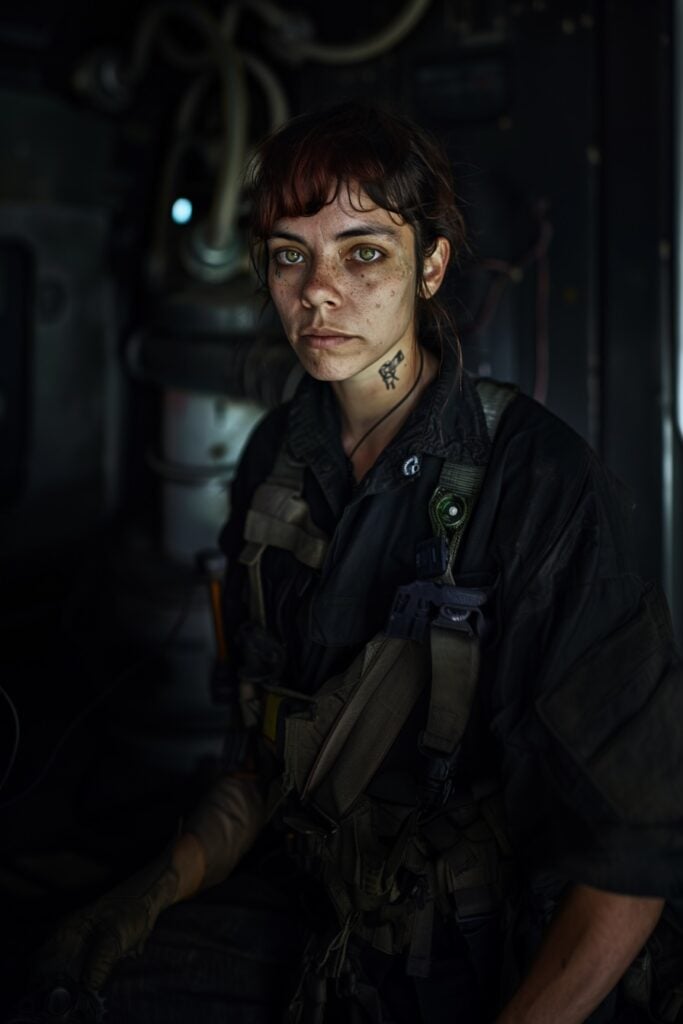
Reference image
This is the reference I first tried this with. I wanted a space mechanic with some tattoos and other identifying features. The image itself is dimly lit and it’s not a full body shot. I chose it for those reasons on purpose, for testing purposes.
Once you have your reference image, generate the character sheet using the prompt at the end of this post. I’m going to use Nano Banana in Google Flow. This should also work if you’re using Nano Banana in an all-in-one tool like Higgsfield, OpenArt, Leonardo, or Freekpik.
Notice how the tattoo on her neck is the same. In the video, her neck tattoo remains consistent even when she turns around or is off camera then faces camera again.
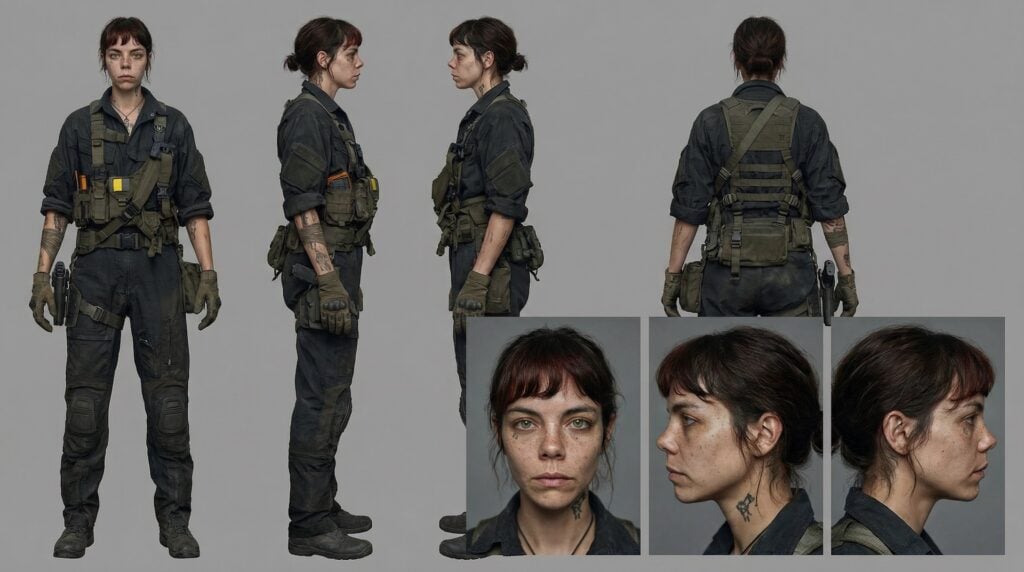
Once you have this reference sheet, use it as an element or ingredient in your video generator. This means the generator has to support “references” “ingredients” or “elements,” which are different names for the same thing.
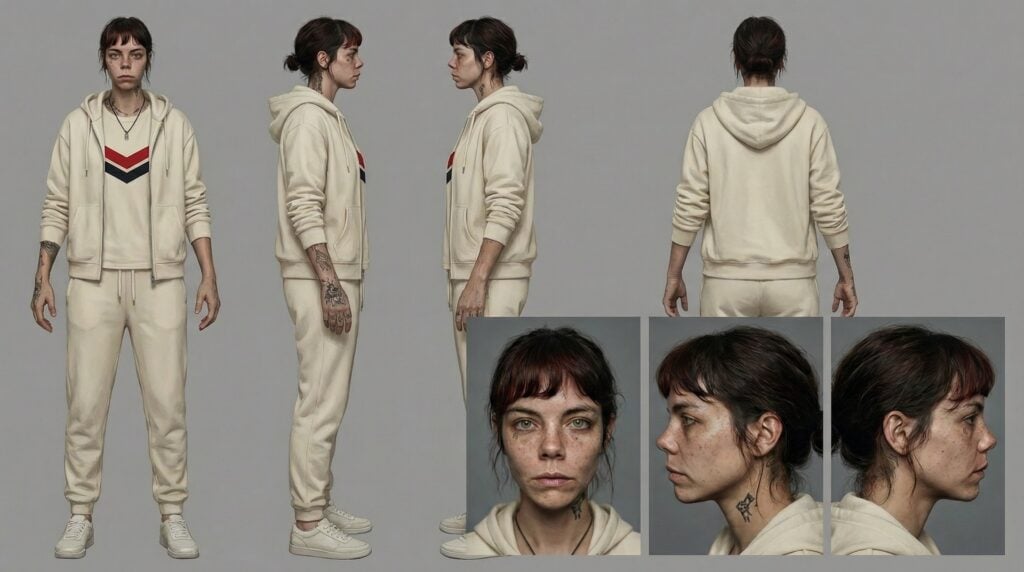
You can also change the character’s wardrobe with a simple prompt, also at the end of this post.
Free Consistent Character Prompts
Here are some prompt templates that I found work well in Nano Banana Pro.
Consistent Character Prompt with a Reference Image
Prompt to create a character reference sheet Create a professional character reference sheet based strictly on the uploaded reference image. Use a clean, neutral plain background and present the sheet as a technical model turnaround while matching the exact visual style of the reference (same realism level, rendering approach, texture, color treatment, and overall aesthetic). Arrange the composition into two horizontal rows. Top row: four full-body standing views placed side-by-side in this order: front view, left profile view (facing left), right profile view (facing right), back view. Bottom row: three highly detailed close-up portraits aligned beneath the full-body row in this order: front portrait, left profile portrait (facing left), right profile portrait (facing right). Maintain perfect identity consistency across every panel. Keep the subject in a relaxed A-pose and with consistent scale and alignment between views, accurate anatomy, and clear silhouette; ensure even spacing and clean panel separation, with uniform framing and consistent head height across the full-body lineup and consistent facial scale across the portraits. Lighting should be consistent across all panels (same direction, intensity, and softness), with natural, controlled shadows that preserve detail without dramatic mood shifts. Output a crisp, print-ready reference sheet look, sharp details.
Consistent Character Prompt with No Reference Image
Create a professional character reference sheet of [PUT YOUR CHARACTER DESCRIPTION HERE]. Use a clean, neutral plain background and present the sheet as a technical model turnaround in a photographic style. Arrange the composition into two horizontal rows. Top row: four full-body standing views placed side-by-side in this order: front view, left profile view (facing left), right profile view (facing right), back view. Bottom row: three highly detailed close-up portraits aligned beneath the full-body row in this order: front portrait, left profile portrait (facing left), right profile portrait (facing right). Maintain perfect identity consistency across every panel. Keep the subject in a relaxed A-pose and with consistent scale and alignment between views, accurate anatomy, and clear silhouette; ensure even spacing and clean panel separation, with uniform framing and consistent head height across the full-body lineup and consistent facial scale across the portraits. Lighting should be consistent across all panels (same direction, intensity, and softness), with natural, controlled shadows that preserve detail without dramatic mood shifts. Output a crisp, print-ready reference sheet look, sharp details.
Changing the Wardrobe in Character Sheet in Nano Banana
Keep the same character sheet layout. Keep their physical characteristics and expression the same. Change the outfit to [outfit description or reference to image].