Here are the prompts and images I used to create “Calamity,” a cinematic AI short film made with Seedream 4.5 and Kling 3.0 Omni inside OpenArt Suite. Watch the full workflow — from casting Cleo to building consistent locations, staging a falling piano, and crashing a car through a cafe wall. Below you’ll find the prompts for each scene so you can adapt them for your own projects.
I share my prompts because I think we all get better when we learn from each other!
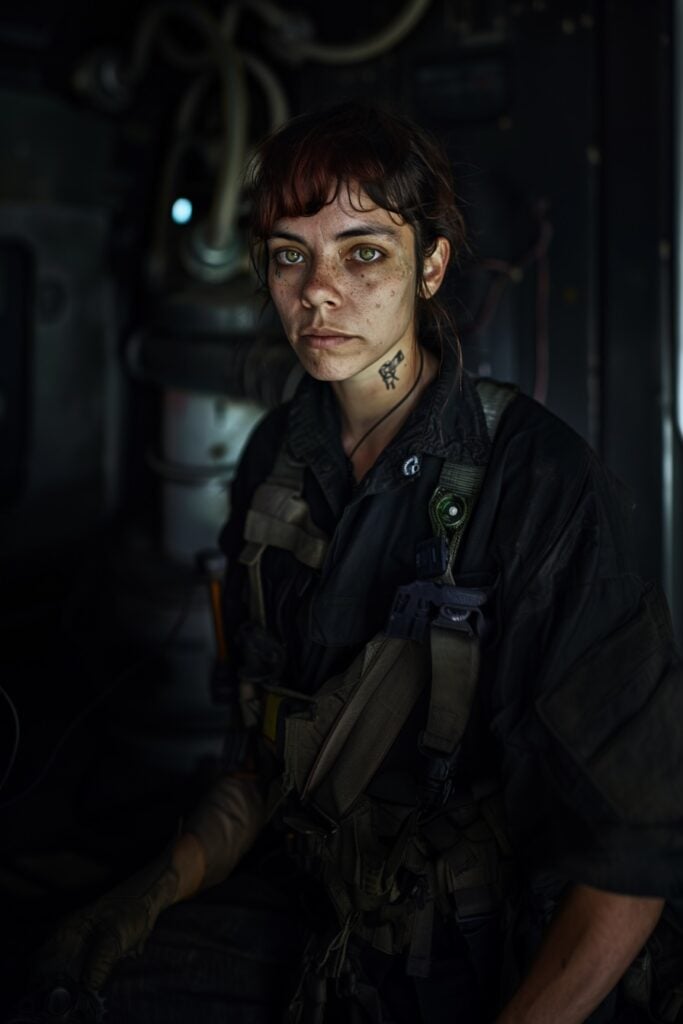
Prompt for Cleo
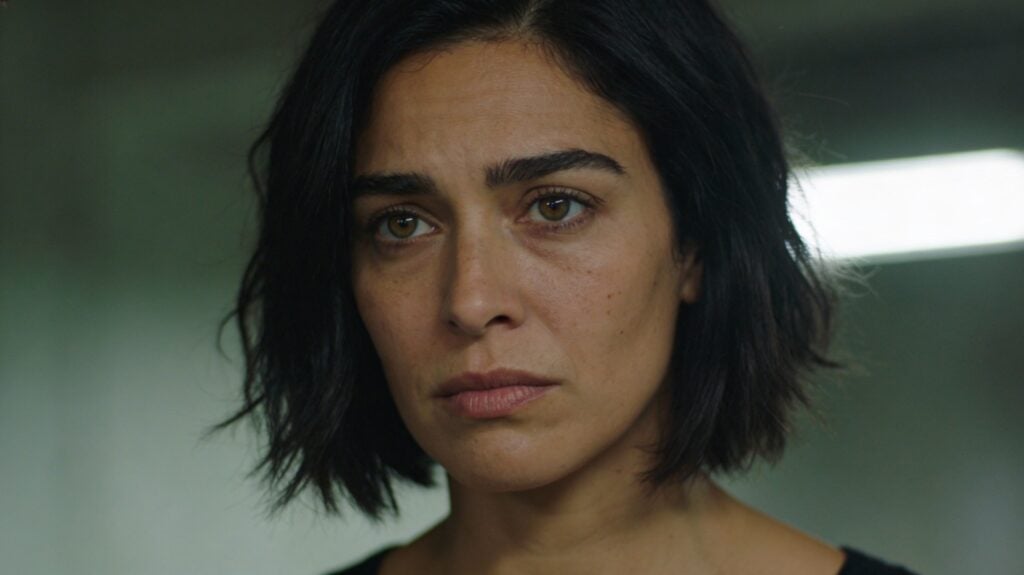
A cinematic head and shoulders close-up portrait of a 32-year-old woman with olive skin, hazel eyes, dark hair in a rough graduated bob with deliberately, strong brows, and a calm but intense expression. Natural skin texture with subtle imperfections and faint under-eye fatigue. Shot on a 50mm lens, eye-level close-up framing. Shallow depth of field with softly blurred background. Natural, directional lighting with subtle overhead spill and gentle side contrast. Slightly desaturated color grade. Realistic skin texture with natural imperfections. Soft film grain, high dynamic range, cinematic film still, grounded realism, dramatic but understated.
Prompt for Raven, the fortune teller
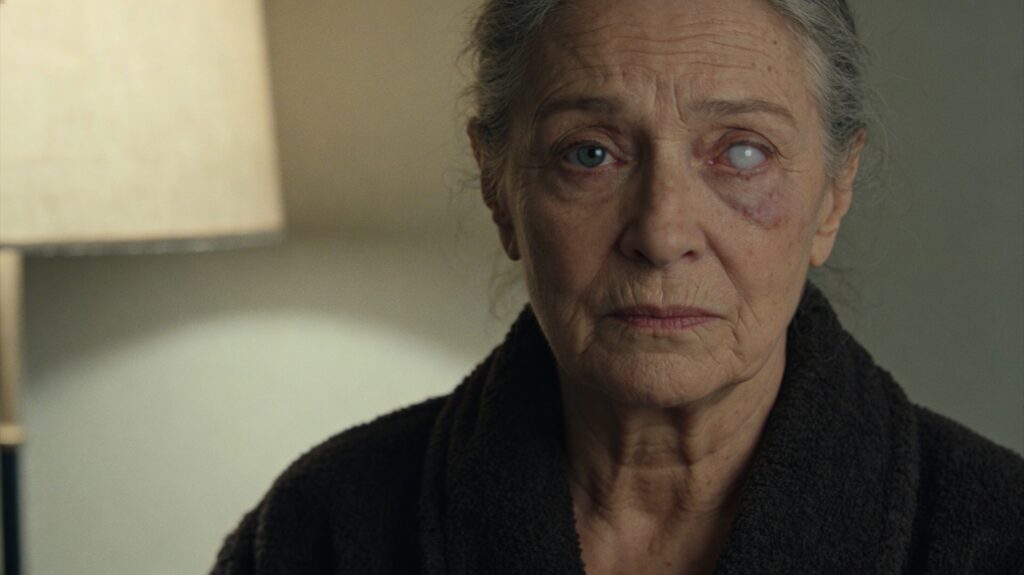
Cinematic head-and-shoulders portrait of an older woman in her late 60s with a lined, intelligent face and steady presence. Both eyes fully open and facing forward. One eye has a cloudy, milky-white cornea — opaque and desaturated — but the eye is not rolled back, not closed, and not looking upward. The pupil remains centered and natural. The other eye is sharp and observant. Gray hair loosely pinned back. She wears a simple dark wool robe with heavy texture, understated and practical. Calm, unreadable expression with quiet gravity. Natural skin texture with visible age lines. Soft practical interior lighting from a nearby lamp, gentle shadow falloff, muted earthy palette, slightly desaturated. Realistic contemporary photography, 35mm film look, subtle film grain, shallow depth of field.
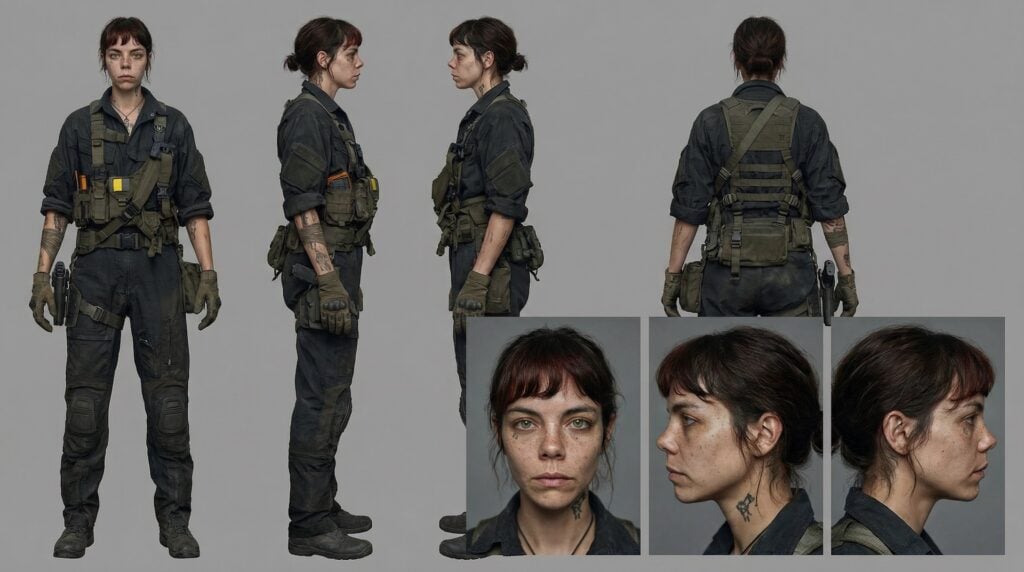
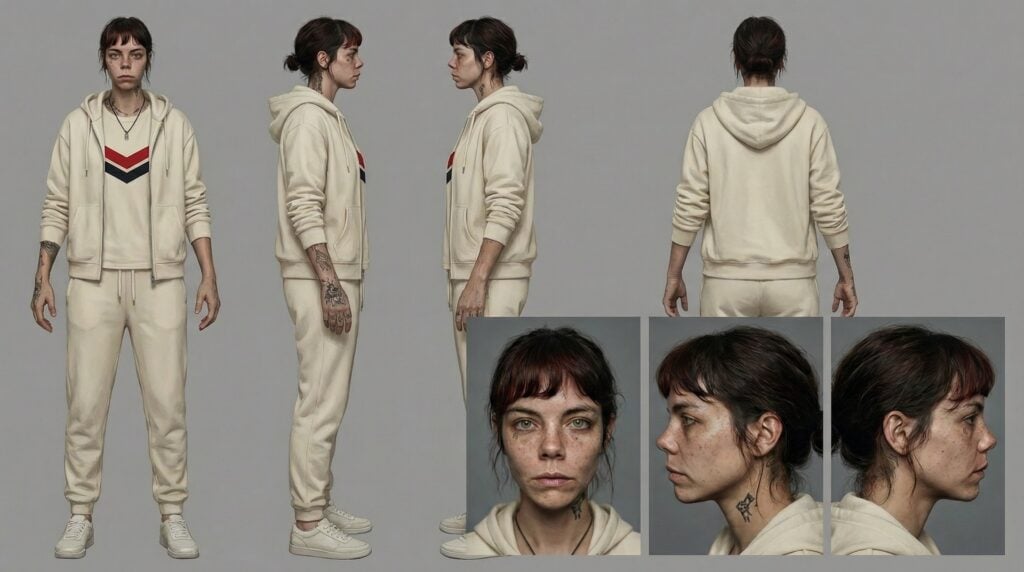
Nano Banana Pro Character Sheet prompt
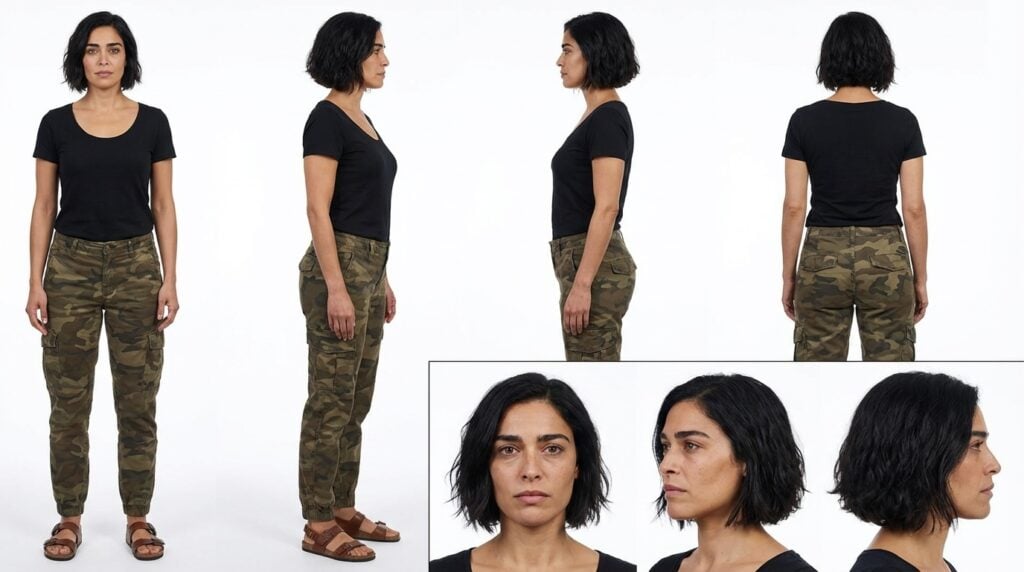
Character reference sheet of a woman with short dark wavy hair, four full-body views in a row on a clean white background: front view, left profile, right profile, back view. She wears a plain black scoop neck short sleeve shirt, camo cargo pants, and sandals. Relaxed standing pose, consistent identity across all views. Below, three close-up portrait views: front, left profile, right profile. Clean even studio lighting, sharp detail, print-ready technical turnaround sheet.
Kling 3 Multi-cut prompt for fortune teller scene
- Eye-level close-up of the fortune teller one eye clouded milky-white @Raven sitting upright across the table. She leans slightly forward, her brow furrowed with concern. The fortune teller (low, raspy voice, slight Eastern European accent, grave serious tone, slow deliberate pacing): “I am afraid to say I see nothing but calamity.”
- Eye-level close-up of @Cleo wearing a sage green tunic, one eyebrow raises skeptically. Cleo (warm clear voice of a young woman with a slight Greek accent moderate pacing): “Calamity?”
- Eye-level close-up of the fortune teller sitting upright, she taps a tarot card on the table with one ringed finger and shakes her head slowly. The fortune teller @Raven (low, raspy voice, slight Eastern European accent, somber concerned tone, slow measured pacing): “But that’s not all. Your health. I see something very negative for your health
- Close-up of @Cleo as she processes the news, her expression shifting from skepticism to quiet worry. She swallows and looks down at the tarot cards. No dialogue, soft ambient room tone.
Kling 3 Multi-cut prompt for piano falling scene
- Daytime Portland street, overcast light. Medium tracking shot following @Cleo wearing a plain black scoop neck short sleeve shirt, camo cargo pants, and flat sandals. Same outfit in all shots. She walks along a damp sidewalk with shallow puddles. Ahead are two orange traffic pylons near a street post with a bicycle locked to it. A three-story red brick building with storefront windows and an ornate roof cornice runs alongside her.
- Low-angle shot that tilts up from the same damp sidewalk past the two orange traffic pylons and the bicycle locked to the street post, up the three-story red brick building façade with storefront windows and an ornate roof cornice. A black grand piano hangs suspended three stories up by a thick rope. The rope snaps and the piano drops downward out of frame.
- Medium shot of @Cleo wearing the same plain black scoop neck short sleeve shirt, camo cargo pants, and sandals, walking forward at the same steady pace. Behind her, the piano slams into the pavement with debris scattering. She does not react or turn around.
Seedream 4.5 prompt in the cafe
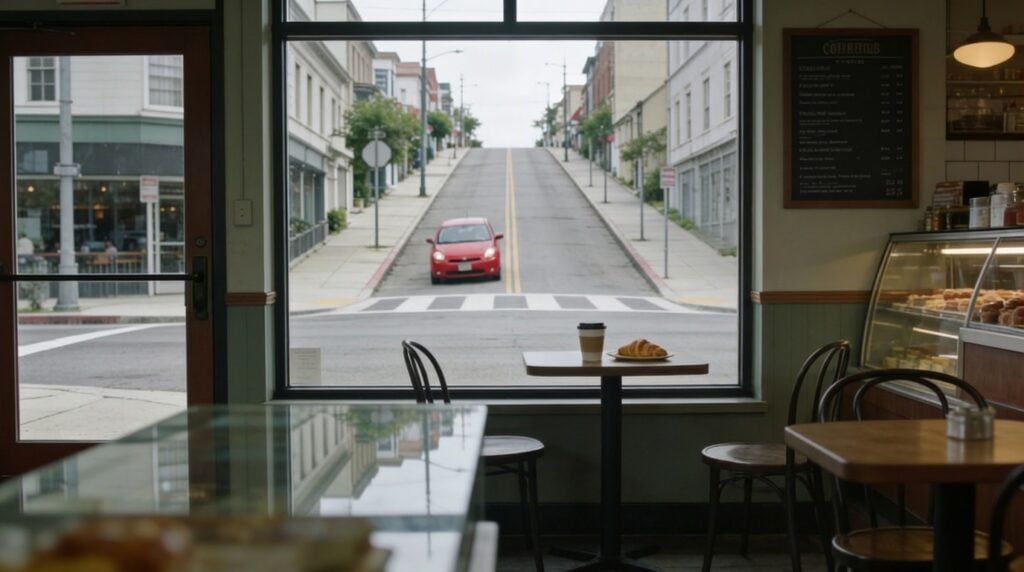
Cinematic interior wide shot of a street-level coffee shop, camera inside near the entrance looking toward a large picture window. @Cleo sits at a small table on the right side of frame, her back to the window and her face turned slightly toward camera. She is wearing a plain black scoop neck short sleeve shirt, camo cargo pants, and flat sandals. On the table: a coffee cup and a croissant. Through the window, a T-intersection is clearly visible: a downhill street runs perpendicular straight toward the café window, and a cross street runs left-to-right parallel to the sidewalk. A red compact car is coming downhill directly toward the café, centered in the window view on a clear collision path. Keep the middle of frame open so the car’s impact path is unobstructed. Realistic coffee shop details: menu board, pastry case or counter in soft focus, other tables and chairs, subtle reflections on the glass. Overcast daylight outside, soft natural interior fill. Muted slightly desaturated colors, 35mm film look, subtle grain, natural lens softness, no HDR, no stylized effects.
Nano Banana edit prompt to get the car inside the cafe after the crash
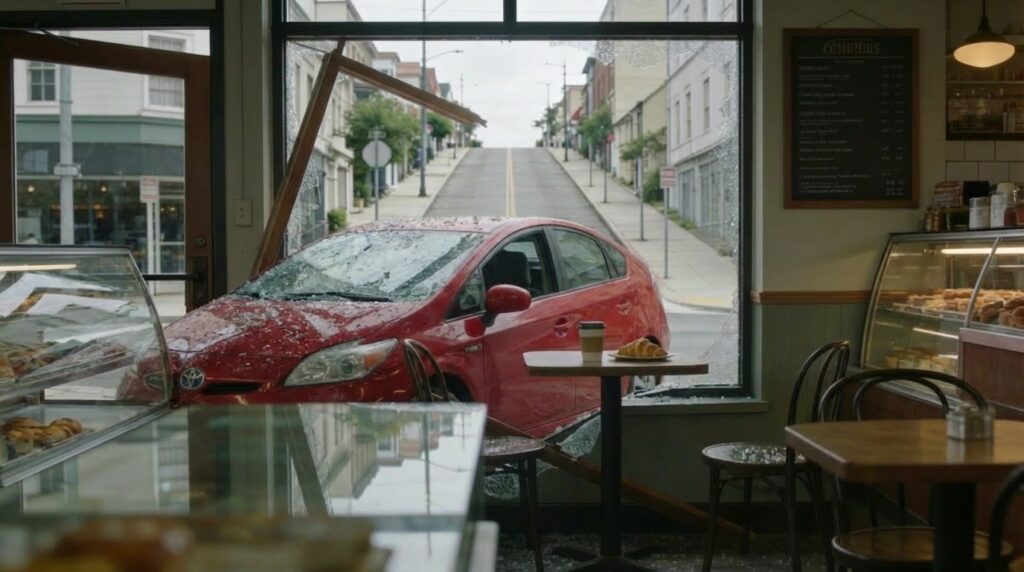
place the car’s hood inside the cafe so the bumper touches the glass pastry case on the left side of the frame and the driver’s side door is directly next to the table with the coffee
Kling 3 prompt for initial car crash
@image1 Wide shot from inside facing the large picture window. @Cleo sits at the small table right side of frame, her back to display case on the right, she is wearing a plain black scoop neck short sleeve shirt, camo cargo pants, and flat sandals. The red car approaches with speed, crashing through the window similar to @image2 . @Cleo stays totally unfazed despite the action happening right in front of her. The old woman driving the car reaches out the window and grabs the croissant, taking a bite. @Cleo remains unfazed.
Kling 3 park bench phone call with her test results
- Daytime city park, soft overcast light. @Cleo is wearing a plain black scoop neck short sleeve shirt, camo cargo pants, and sandals sitting alone on a wooden park bench with her iphone next to her, her posture slightly slumped. A few pigeons nearby. Her iPhone vibrates causing the pigeons fly off startled. She looks down at her iphone and sighs, then lifts the phone to her ear.
- Closeup profile shot of @Cleo with the phone to her ear. The voice on the other end of the line says, “Hey Cleo, it’s Doctor Patel. We got your test results back. They’re… negative.”
- Close up portrait shot of @Cleo. She says (warm clear voice of a young woman with a slight Greek accent moderate pacing and a questioning rising tone): “Negative?” She lowers the phone then repeats peacefully and slowly: “Negative”
Seedream prompt for Cleo’s apartment
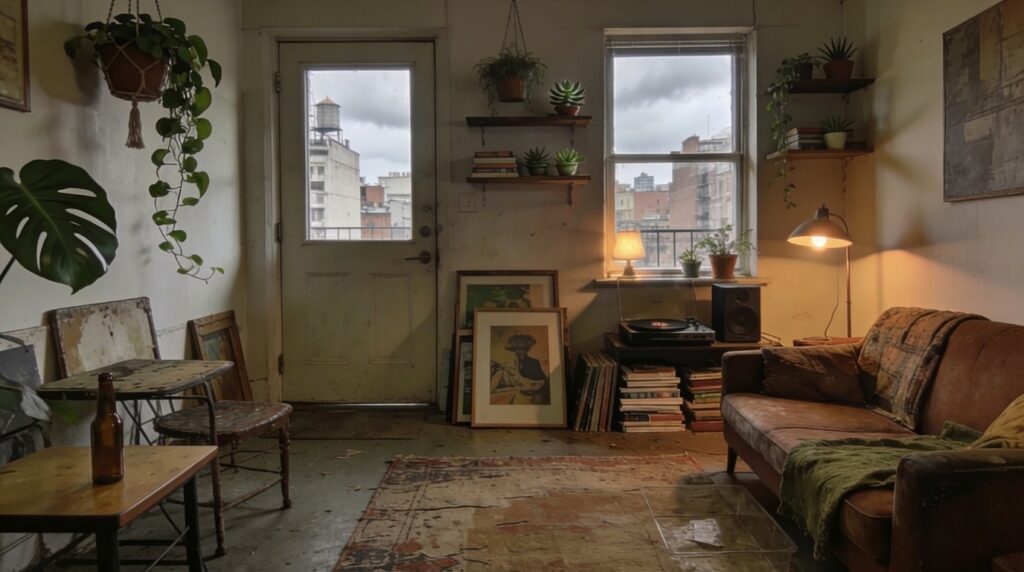
Wide interior shot of a city apartment, cozy and lived-in with a bohemian, artsy feel. Lots of plants (hanging pothos, potted monstera, small succulents on shelves), mismatched vintage furniture, a worn rug, stacked books, framed prints leaning against the wall, a small record player or speaker, and a soft lamp glow. A couch sits to one side. By the front door: a small table with a key dish. Late afternoon overcast window light mixed with warm practical lamps, soft shadows. Muted earthy palette (warm browns, olive greens, faded textiles), slightly desaturated. Realistic, cinematic, 35mm film look, subtle grain, natural lens softness, no HDR, no stylized effects, no text or watermark.
Kling 3 prompt for returning home to her cat
Single shot version
Interior, bohemian city apartment @image1 . A normal sized cat@image2 is curled up on the couch, relaxed and sleepy. @Cleo enters through the door wearing a plain black scoop neck short sleeve shirt, camo cargo pants, and sandals. She steps in calmly, crosses to the couch and squats beside the cat @image2 , gently pets it. The cat stirs and purrs. @Cleo looks down at the cat with a small, relieved smile and says (warm clear voice of a young woman with a slight Greek accent slow pacing and clear enunciation): “Hello, Calamity.” Lip movements and facial expressions are natural and coherent. The cat @image2 purrs and @Cleo smiles. Camera direction: The camera should smoothly follow @Cleo throughout the shot ending with a close-up on @Cleo and the cat together, ending on her face and the cat’s content expression. Cinematic realism, muted earthy tones, subtle film grain, natural lens softness. No background music.
Multi-shot version
- Interior, bohemian city apartment @apartment. A normal sized cat @Cat is already lying on the couch, relaxed and sleepy. @Cleo enters through the door wearing a plain black scoop neck short sleeve shirt, camo cargo pants, and sandals. She steps in calmly, crosses to the couch and squats beside the cat @Cat, gently pets it. The cat stirs and purrs. Camera direction: The camera should smoothly follow @Cleo
- Medium close up @apartment showing @Cat being pet by @Cleo who says (warm clear voice of a young woman with a slight Greek accent slow pacing and clear enunciation): “Hello Calamity.” The cat purrs and she smiles. The camera lingers on the companionship. Cinematic realism, muted earthy tones, subtle film grain, natural lens softness. No background music.
And of course… Calamity
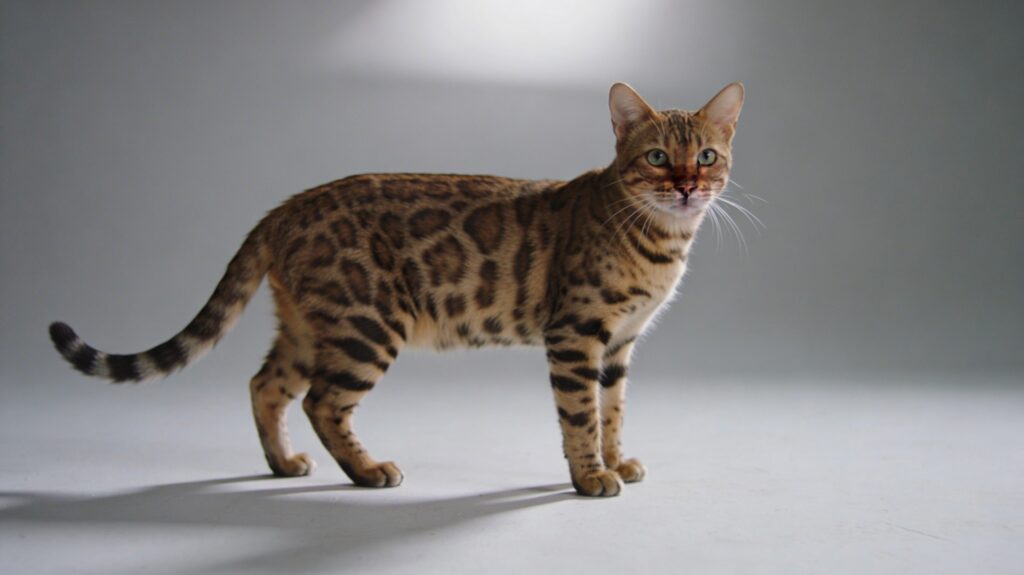
cinematic shot of a Bengal cat on a clean plain light-gray seamless background. Shot as studio photography on a 50mm lens at eye-level. Natural directional lighting with subtle overhead spill and gentle side contrast, soft controlled shadows on the floor. Slightly desaturated color grade. Soft film grain, natural lens softness, realistic exposure, cinematic film still look, grounded realism. Print-ready technical turnaround sheet. No props, no environment, no text, no watermark.
Affiliate links support more free tutorials from AI Video School!