One interesting way to use GPT Image 2 and Seedance 2.0 to create movies is to generate Scene Previews.
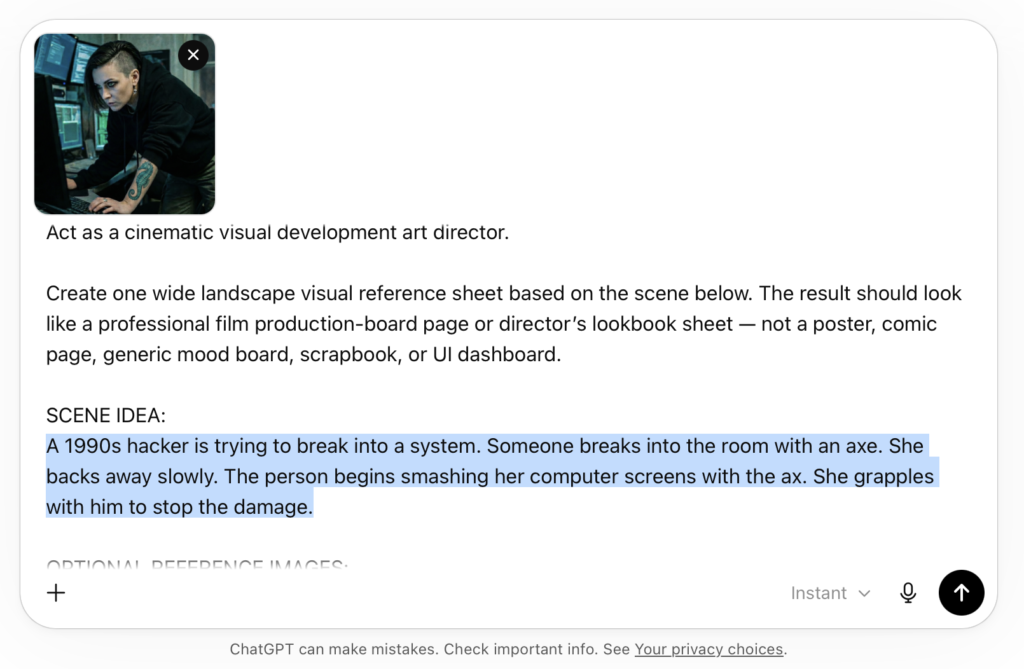
Here is a prompt to copy-and-paste into a chat window or as instructions in a custom GPT. Be sure to describe your scene where it says: [Paste scene idea here]. You don’t need a reference image of the character but I used one.
Prompt for Scene Previews in Image GPT 2
Act as a cinematic visual development art director.

Create one wide landscape visual reference sheet based on the scene below. The result should look like a professional film production-board page or director’s lookbook sheet — not a poster, comic page, generic mood board, scrapbook, or UI dashboard.

SCENE IDEA:
[Paste scene idea here]

OPTIONAL REFERENCE IMAGES:
Use any attached images as production references.
- If an image shows a character, preserve that person’s identity, age range, face shape, hair, body type, wardrobe logic, props, and material details across the sheet.
- If an image shows a location or environment, incorporate its architecture, geography, weather, lighting, textures, palette, and spatial feeling.
- If no references are attached, invent original story-specific characters and environments based on the scene.
- Do not beautify, redesign, or stylize references unless the scene clearly calls for it.

Create a SINGLE visual reference sheet with a clean editorial layout, off-white background, thin black dividers, compact readable labels, and a structured grid.

Include these sections:

TOP BAR: SCENE PREVIEW
Add a header reading “SCENE PREVIEW”.
Include:
- Cut Count: 5
- Color Palette: infer a restrained cinematic palette from the scene
- Environment Fingerprint: a short specific description of the setting and atmosphere
- Visual Rule: one brief sentence that defines the overall visual consistency of the scene

SECTION 1: CHARACTER REFERENCE
Show the main character, or main characters if needed, in a production-reference format.
Include:
- Front view
- Side view
- Back view
- Facial close-up
- Side/profile close-up
- Costume/material details
- Important prop or accessory detail
- Palette swatches
- Brief editorial notes

If there are two important characters, split this into Primary Character and Secondary Character.

SECTION 2: ENVIRONMENT / SET DESIGN
Show the scene environment in a cinematic production-design format.
Include:
- One wide hero environment frame
- One or two supporting set/location frames
- A top-down floor plan or blocking diagram
- Numbered camera positions
- Character movement arrows
- Entrances, exits, landmarks, and key set pieces labeled

The floor plan does not need architectural precision, but it must communicate clear geography and scene logic.

SECTION 3: STORYBOARD
Create a 5-cut storyboard strip showing one continuous scene.
Each shot must maintain continuity of character, wardrobe, lighting, geography, environment, and emotional progression.

For each cut, include:
- Cut number
- Lens choice
- Duration
- Camera movement or camera style
- Shot size
- One concise sentence describing the action and emotional beat

Use professional cinematography language such as:
35mm anamorphic, 50mm anamorphic, 75mm anamorphic, 100mm macro, static, track, dolly-in, crane-up, rack-focus, handheld, steadicam, push-in, wide, medium, close-up, insert, extreme close-up.

SECTION 4: LIGHTING / MOOD / STYLE NOTES
Create a lower strip with supporting visual notes.
Include:
- 3 to 5 small lighting reference frames
- Specific lighting labels
- Mood keywords
- Lens/style notes
- Cinematography notes
- Optional color swatches

STYLE REQUIREMENTS:
The sheet must feel cinematic, premium, realistic, carefully color-graded, and genuinely useful for production planning. Keep the layout clean and restrained. The imagery should have naturalistic lighting, realistic lens behavior, shallow depth of field where appropriate, controlled motion blur, strong framing, consistent color palette, consistent character identity, and clear environment continuity.

AVOID:
- Poster composition
- Comic-book styling
- Generic concept art collage
- Watermarks
- Fake logos
- Gibberish text
- Excessive tiny text
- Repeated identical images
- Inconsistent faces, costumes, time of day, or geography

Before creating the sheet, silently decide the emotional arc, palette, environment fingerprint, camera progression, lighting progression, and final storyboard beat.

Output one complete cinematic visual reference sheet as a single image.
I pasted that prompt plus a reference image into ChatGPT and updated the Scene Idea.
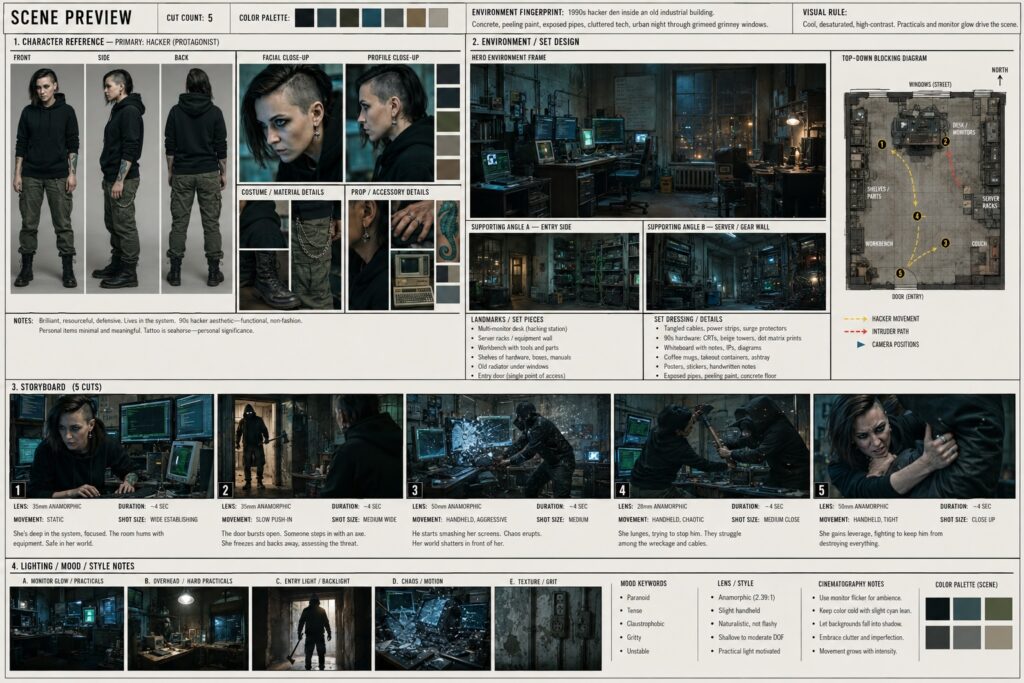
Here is the generated scene preview sheet:
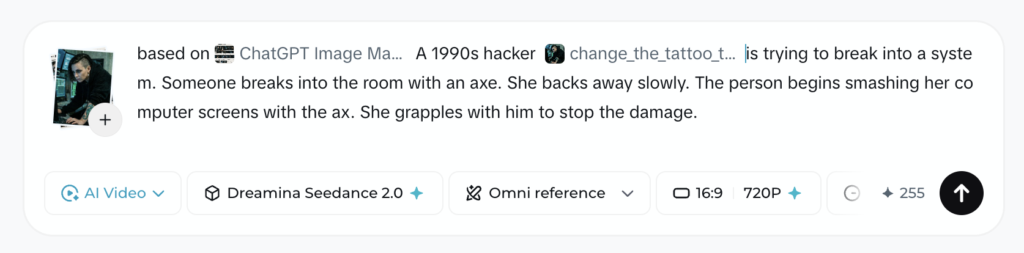
Then I took both the Scene Preview sheet and the original character reference image and brought them into Dreamina. I think it helps to use both. I imagine using a character reference sheet of the character would be even better than a single image.
Here is the video:
Good luck making your movie!