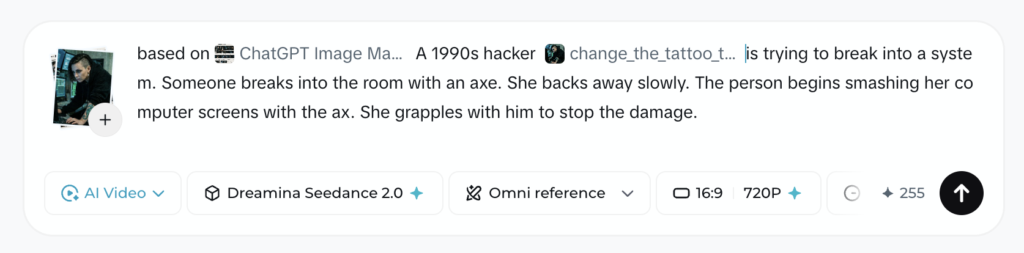
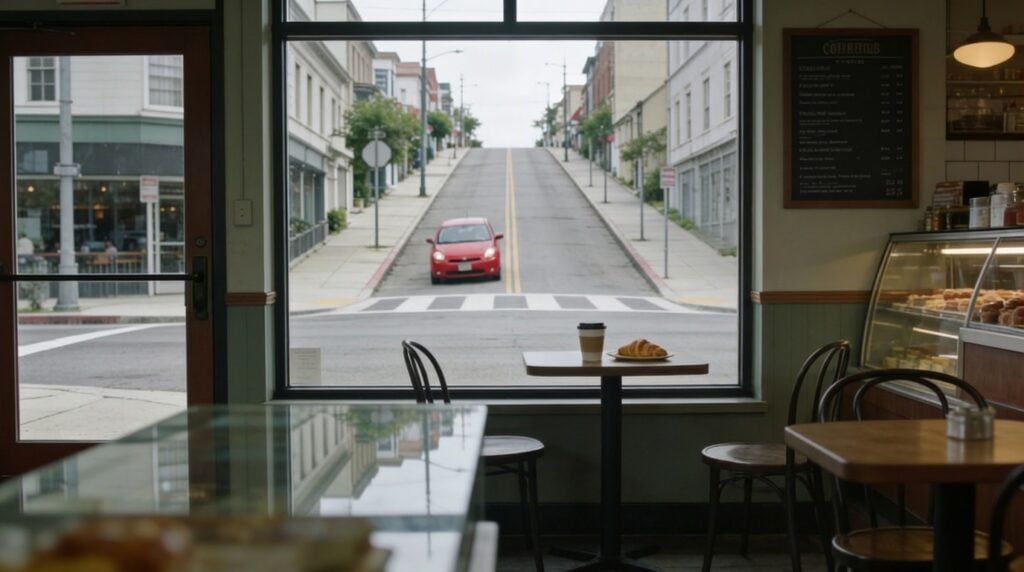
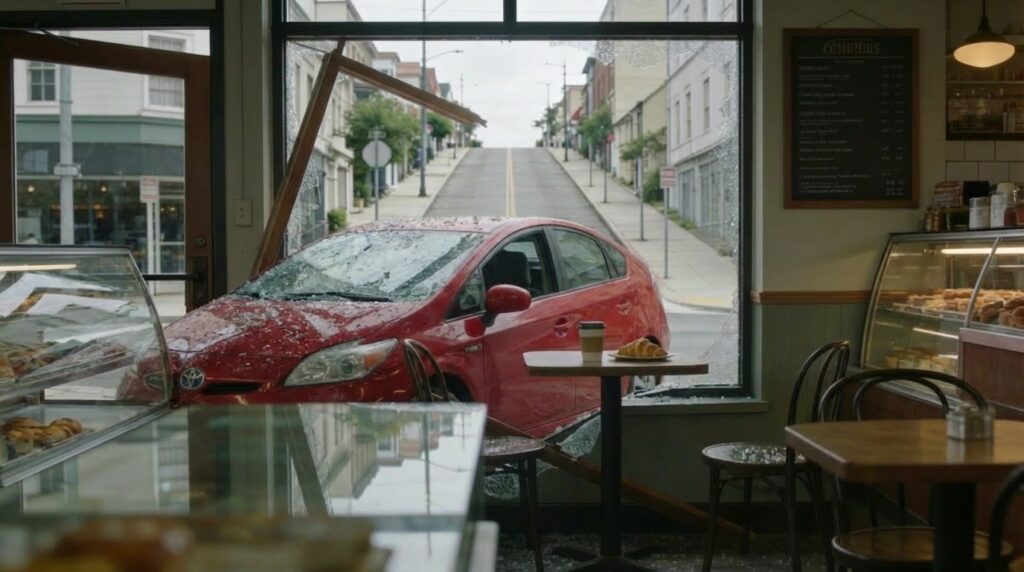
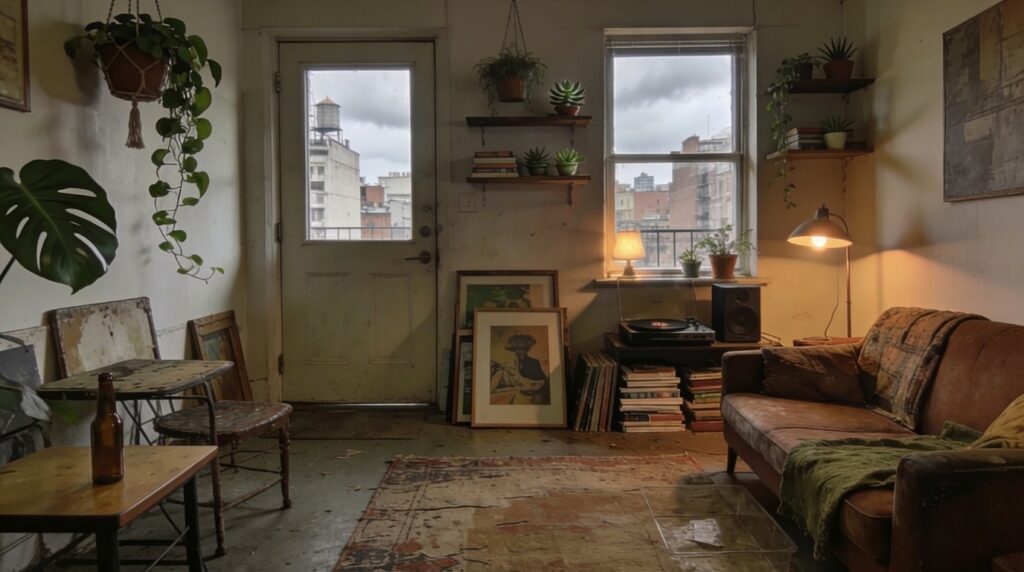
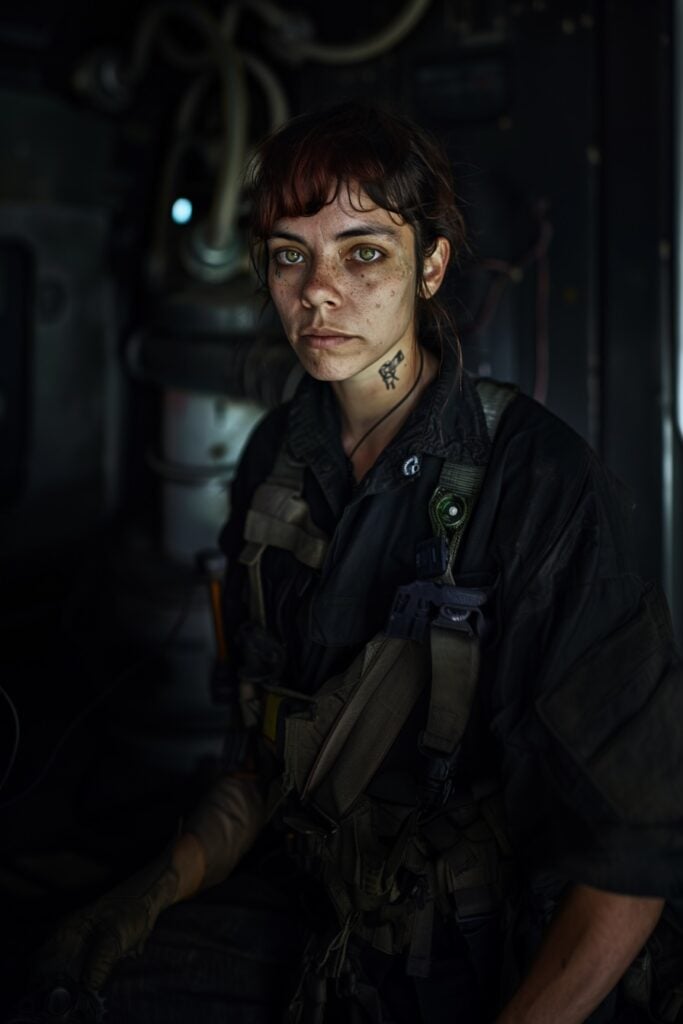
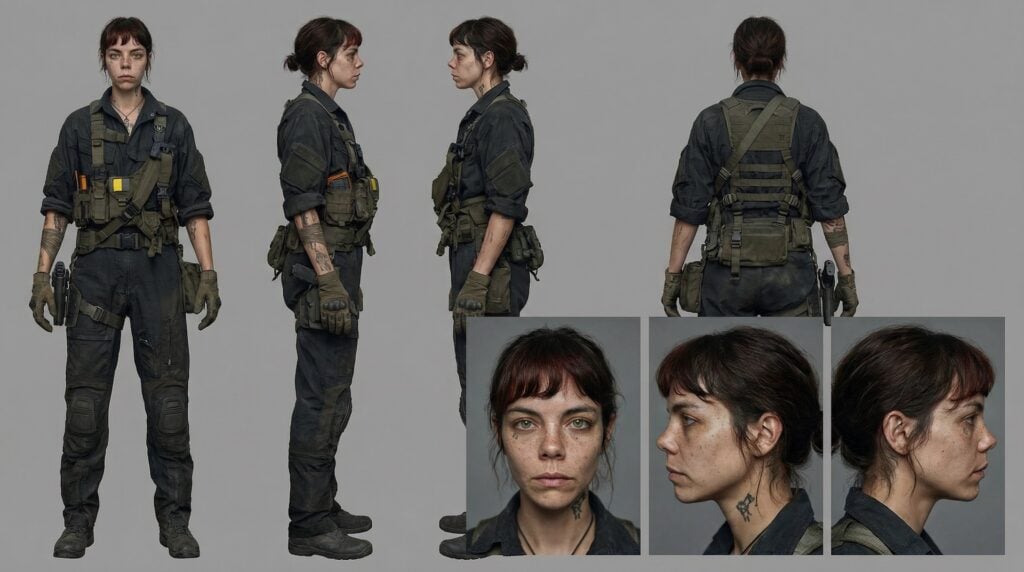
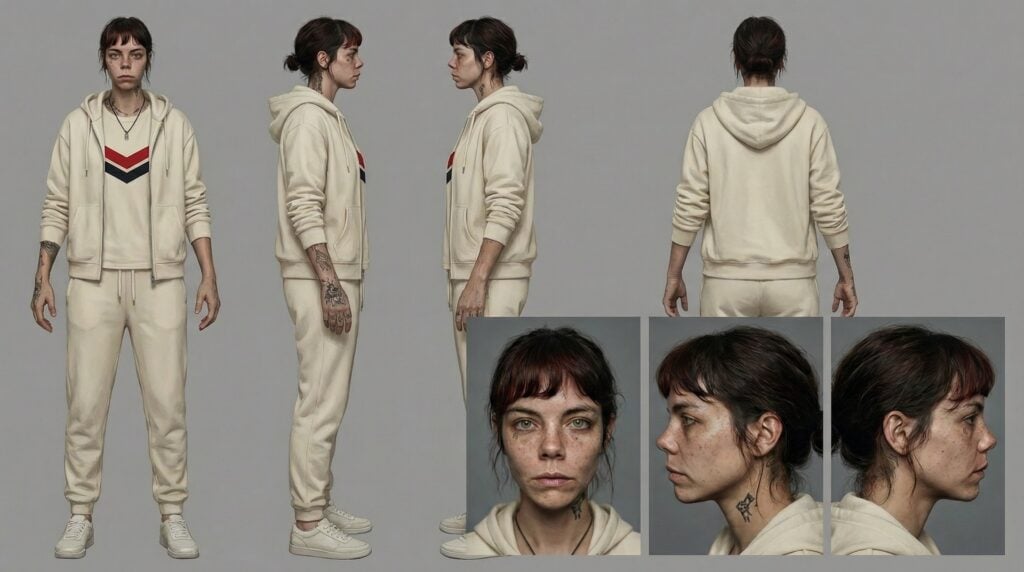
I found a fun hack for creating consistent backgrounds for dialogue scenes. I realized that Seedance is actually really good at this, but the cost per generation is much more than others, like WAN and MiniMax H3. So I decided to use the strength of each: Seedance for filming the master shot and coverage, then H3 for low cost dialogue generation. (Full video below.)
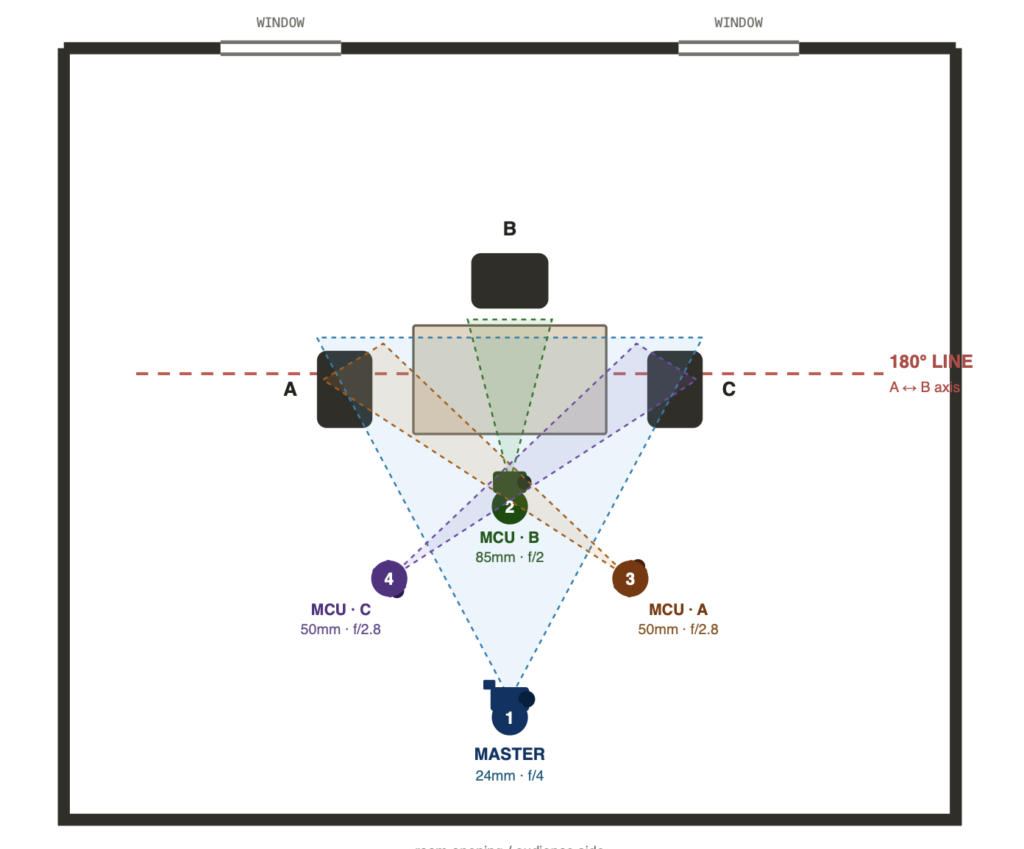
Here is the diagram I got for the camera positions using Claude Design. I’m not sure if it’s totally necessary but if you’re having trouble, give it a shot.
This is the instruction I gave Claude Design:
place diagram images with camera and lens specifications on the diagram for this dialogue scene: opening master shot, medium close ups for each seated character. do not "cross the line". Follow "the 180 rule" in film.
Here is the prompt I used in Seedance. The brackets mean I used a reference image.
Asset bindings: [location] = the room (environment reference — architecture, furniture, light quality, color palette).

[Hacker] = Character A "the hacker," red hair with shaved side, black hoodie, sleeve tattoos — she sits in the LEFT chair.

[Mike] = Character B "Mike," short brown hair, clear round glasses, plain black tee — he sits in the CENTER chair at the head of the table, facing camera.

[Mechanic] = Character C "the mechanic," older man, grey beard, denim overalls over a pale tee — he sits in the RIGHT chair. Match each face, hair, and wardrobe strictly to its reference sheet.

Scene Summary: Three people sit at a long table in the room from [location], listening in complete silence while a four-camera coverage plan cuts from a wide master into three medium close-ups; live-action cinematic realism, no one speaks. Fixed rules for the whole video: the camera never crosses the 180-degree line — all four setups sit on the same side of the table. Character A stays screen-left, Character B stays center, Character C stays screen-right in every shot. No talking, no lip movement. All three listen attentively to an unseen point off-frame beyond the far end of the table. Performance is carried entirely by eyes, breathing, small head tilts, and micro-expressions.

0s-5s: SHOT 1 — MASTER. Wide establishing shot, 24mm, f/4, camera low and centered at the open end of the room, locked off with a barely perceptible handheld breath. The full table, all three characters, and the room from [location] are visible. A sits screen-left in profile-three-quarter, B sits center facing camera, C sits screen-right. All three are still and quiet. A slowly closes and reopens her eyes. C shifts his weight once in the chair. B does not move. Papers and a bottle rest on the table. Dust drifts through the window light.

5s-8s: SHOT 2 — MCU B. Straight cut to a medium close-up of [Mike], 85mm, f/2, dead-on eyeline, very shallow depth of field, background falling soft. He faces the lens directly, jaw set, lips closed. His eyes flick once to screen-left and settle back. He inhales through his nose and gives a single small nod of understanding. No speech.

8s-11s: SHOT 3 — MCU A. Straight cut to a medium close-up of [Hacker] 50mm, f/2.8, shot from the far right side of the coverage, favoring her face as she looks screen-right toward the others. Her expression is guarded and intent, brows slightly drawn. She blinks slowly, tongue pressed behind a closed mouth, then narrows her eyes a fraction. Silent.

11s-15s: SHOT 4 — MCU C. Straight cut to a mirrored medium close-up of [Mechanic], 50mm, f/2.8, shot from the far left side of the coverage, symmetrical to the previous setup. He looks screen-left toward the others, weathered and patient. He scratches his beard once, exhales, and his mouth stays closed. The shot holds on his listening face as the video ends.
I mention a method for adding a voice reference to get consistent voices for dialogue scenes. Watch that tutorial here:
I’ve been using chatbots like ChatGPT and Claude to optimize prompts for specific video models. Lately, I feel as if the models are too verbose and off-task, even when provided the official blog post. It’s frustrating as they keep making the same mistakes.
Seedance has released their official Seedance 2.5 prompt guide! You can add this as Context to a Claude Project or as a Source in a ChatGPT Project. I had Claude clean up the unnecessary code and image/video embeds from the Seedance prompt guide.
# Seedance 2.5 prompt techniques

This topic introduces prompting techniques and tips for Dreamina Seedance 2.5 (hereafter referred to as Seedance 2.5), helping you generate high-quality videos that match your requirements more efficiently.

There is an official Seedance 2.5 Skill (`sd25-pe`) available for prompt optimization. In an AI chat box, enter `/sd25-pe + your prompt` to start optimizing the prompt.

---

# Overall introduction

Seedance 2.5 can generate a single video up to **30 seconds** long and accept up to **50 image, audio, and video reference assets** in one request. It provides stronger instruction following, professional video editing and extension controls, and native generation in **more than 10 languages**. These upgrades advance video generation toward production-ready workflows built around **long-form storytelling, rich references, precise editing, and multilingual creation**.

Creative quality also improves significantly. More realistic visuals, lighting, performance, and camera movement make results feel closer to live-action footage. Seedance 2.5 gives professional creators and enterprise teams a faster, more controllable, and more scalable video production workflow.

## Typical multimodal video generation capabilities

> Seedance 2.5 supports flexible combinations of multimodal inputs such as text, images, video and audio. The following table only lists some typical capabilities. You can combine these capabilities in other ways based on your actual scenarios.

| **Task type** | **R2V tasks supported by Seedance 2.5** | **Detailed description of capabilities** |
|---|---|---|
| **Reference** | **Subject reference** - References the subject's appearance identity and/or voice, such as a person, object, scene, or virtual character. | Subject image reference<br>Subject audio and video reference<br>Subject image + audio reference |
| | **Motion reference** - References motion and dynamic information from videos. | Action/expression/camera movement/creativity/effects, and more<br>Motion + subject reference |
| | **3D clay-model reference/rendering** - Uses coarse-grained or fine-grained 3D clay-model videos as motion references and renders them into the target visual style. | 3D clay-model reference<br>3D clay-model reference + subject reference<br>3D clay-model reference + subject reference + scene reference |
| | **Style reference** - References the visual style of images or videos. | Style image/video reference<br>Style image/video reference + subject reference |
| | **Audio reference** - References audio information such as music, dialogue, voice, tone, or timbre. | Audio (music/melody/dialogue/voice) reference<br>Audio + subject reference |
| | **Storyboard reference** - References storyboard information such as subjects, composition, actions, plot, and scene progression. | Storyboard reference<br>Storyboard + subject reference |
| | **Keyframe reference** - Uses one or more images as keyframes to generate a video. | Multiple keyframes reference<br>First/last keyframes reference |
| **First and last frames** | **First-frame/first-and-last-frame video generation** - Generates a video from a single first-frame image or from two images used as the first and last frames. | Strictly control this through `content.role = first_frame/last_frame`. |
| **Editing** | **Video instruction editing** - Uses text instructions to add, remove, or modify visual elements in a video, with support for timestamps to specify when edits should take effect. | Add: Add subjects, costumes, camera movements, special effects, and more.<br>Modify: Modify the subject, parts of the subject, style, background, color, lighting, material, motion, camera position, and more.<br>Remove: Remove subjects, subtitles, watermarks, and more. |
| | **Video editing with reference images** - Uses text instructions plus reference images to add, remove, or modify visual elements in a video, with support for timestamps to specify when edits should take effect. | |
| | **Audio editing** - Adds, removes, or modifies audio in video. | Add: Add vocals, music, sound effects, and more.<br>Modify: Modify vocals, music, sound effects, and more.<br>Remove: Remove vocals, music, sound effects, and more. |
| **Extension** | **Video extension** - Continues the input video forward or backward and can require seamless visual and audio continuity. | Extend forward/extend backward<br>Extend forward/backward + subject reference |
| **Others** | **One-click video creation** - Generates a short video from multiple images and/or videos, with optional text, stickers, transitions, and other elements. | One-click video creation from source assets<br>One-click video creation from source assets + reference video |
| | **Seamless video transition** - Takes two input videos and generates the missing in-between segment to create a seamless transition. | |
| | **Combined capabilities** - Freely combines the capabilities listed above. | |

## Task instructions

Seedance 2.5 divides tasks into two categories based on whether the input reference assets lock the properties of the output video. Seedance 2.0 does not make this distinction.

* **Locked:** The input asset is strictly placed as a segment on the output video timeline. The model output adapts to the input asset, so the output video's aspect ratio, and in some cases its duration, are locked.

* **Unlocked:** The input asset is used only as a semantic reference, so users can specify the output video's aspect ratio and duration.

### Locked: Editing, first and last frames, and extension

Editing, first-frame or first-and-last-frame generation, and extension automatically lock certain generation parameters based on the input assets and do not support user customization for those parameters. The specific rules are as follows:

**Editing**

*Definition:* Edits the visuals or audio of the original video, such as replacing the main subject, adding, removing, or modifying objects, or redrawing and restoring part of the frame.

*Output video locking:*

* **Locks the output video's aspect ratio**, strictly matching the aspect ratio of the video to be edited. The `ratio` parameter must be set to `adaptive`.

* **Locks the output video's duration**, keeping it *approximately aligned* with the duration of the video to be edited. The `duration` parameter must be set to **-1**.

   > If multiple input videos are provided, the model determines which video to edit based on the prompt.

   > Due to the model's frame processing mechanism, the output duration may differ slightly from the input, by up to about 0.3 seconds. This only compresses some transition frames; the output content remains *approximately aligned* with the input and stays complete and unchanged.

   > If a video generated by Seedance 2.5 is used as the editing input, the output duration will not differ from the input duration.

* It is recommended to set `output_format` to `mov`.

*Trigger keywords in prompt:*

1. Set `content.role` to `reference_image`, `reference_video`, or `reference_audio`.

2. **Include at least one editing trigger in the prompt:** **edit video**, **add**, **insert**, **remove**, **delete**, **modify**, **replace**, **change to**, or similar wording.

   > Add small animals to `@video1`; replace the character in `@video1` with `@image1`; remove the background music from `@video1`.

**First frame/first and last frame**

*Definition:* Uses one image as the first frame to generate a video, or two images as the first and last frames.

*Output video locking:*

* **Locks the output video's aspect ratio**, strictly matching the aspect ratio of the first-frame image. The `ratio` parameter must be set to `adaptive`.

   > If the last frame has a different aspect ratio from the first frame, it will be stretched. Use first and last frames with the same aspect ratio.

* **Duration:** user-defined.

*Trigger keywords in prompt:* Set `content.role` to `first_frame` or `last_frame`.

**Extension**

*Definition:* Extends the original video forward or backward.

*Output video locking:*

* **Locks the output video's aspect ratio**, strictly matching the aspect ratio of the video to be extended. The `ratio` parameter must be set to `adaptive`.

   > If multiple input videos are provided, the model determines which video to extend based on the prompt.

* **Duration:** user-defined.

* It is recommended to set `output_format` to `mov`.

*Trigger keywords in prompt:*

1. Set `content.role` to `reference_image`, `reference_video`, or `reference_audio`.

2. **Include at least one extension trigger in the prompt:** **extend forward**, **extend backward**, **continue**, **continue from**, **extend the story**, or similar wording.

   > Extend `@video1` backward: the character from `@image1` falls from the sky...; Continue the first 5 seconds of `@video1`: the woman from `@video2` enters the frame and says...

### Unlocked: Reference tasks, storyboards, and keyframes

In general, reference-based tasks do not lock the output video's aspect ratio or duration based on the input assets. The following two task types are especially worth noting, as they are also unlocked:

**Multi-panel storyboard**

* **Generated visuals do not strictly align with the storyboard:** When you input a multi-panel storyboard, meaning multiple storyboard frames combined into one image, the generated video does not strictly align with the storyboard, such as with specific visual details. The storyboard mainly provides a high-level plot reference.

* **We recommend using relatively simple line-art storyboards** and using the prompt to fill in information not shown in the storyboard, such as actions, camera movement, style, and other basic information.

**Keyframes**

* **Generated visuals align with keyframes:** Input multiple independent storyboard images, which may include first-frame or last-frame storyboard images, as keyframes. The generated video visuals will align relatively strictly with the input images.

* **Duration:** user-defined.

---

# Reference asset input recommendations

Seedance 2.5 supports up to **50 reference assets** per request, including images, audio, and videos. These assets may refer to the same subject or to different subjects, such as characters, animals, props, locations, and more. To make full use of the model's capabilities, we recommend the following when preparing reference assets:

| **Use case** | **Input recommendations** |
|---|---|
| Total reference asset input limits | **Images:** Up to 30 images, with resolution up to 4K.<br>**Videos:** Up to 10 videos, with a combined total duration of no more than 30 seconds.<br>**Audio:** Up to 10 audio clips, with a combined total duration of no more than 30 seconds. |
| For subject audio/video references, how many subjects are recommended? | **1-5 subjects** generally produce better results. You may try **6-10 subjects**, but stability may decrease and multiple attempts may be needed. |
| For subject audio/video references, what input duration is recommended? | **5-10 seconds** generally works better. Longer inputs may reduce stability, and multiple attempts may be needed. |
| For subject image references, how many subjects are recommended? | **1-8 subjects** generally produce better results. You may try **9-12 subjects**, but stability may decrease and multiple attempts may be needed. |
| What is the difference between subject image inputs from different viewpoints? | For **1-5 subjects**, both **single-view** and **multi-view** inputs are supported.<br>For **more than 5 subjects**, **single-view** inputs are generally more stable. If multiple viewpoints are needed, it is recommended to split them into separate images from different views, rather than using one image that contains multiple viewpoints. |
| For storyboard references, how many panels are recommended? | Multi-panel storyboards are currently better suited for **15 panels or fewer**.<br>Stick-figure or line-art storyboards are recommended. Avoid adding text directly on the storyboard. |
| For 3D clay-model references, is coarse-grained or fine-grained modeling recommended? | Simple, coarse-grained 3D clay-model video generally works better as a reference. Use only simple geometric primitives to represent people, objects, animals, and similar subjects. |
| For video editing, what video length is recommended? | Videos within **20 seconds** generally produce better results. Longer videos may reduce stability, and multiple attempts may be needed. |
| For video editing with reference images, how many images are recommended? | **1-5 reference images** generally produce better results. You may try **6-8 reference images**, but stability may decrease and multiple attempts may be needed. |
| For video extension, what format is recommended? | To achieve the best audio-visual continuity, use the `mov` format for both the input and output videos. |

---

# Prompt writing recommendations

> Treat Seedance 2.5 as a visual content producer, and write structured prompts with a visual storytelling mindset.

## Basic prompting techniques

**Asset Referencing for R2V**

Clearly identify each image, video, or audio asset by its upload order and intended purpose, such as which asset represents the subject, voice, action, scene, and so on.

**One-Sentence Summary**

Subject + Location + Event + Genre/Style + Camera movement...

**Detailed Plot Description**

Shot sequence or timeline: Either format is acceptable. Use timestamps or "Shot N" to divide the video into segments, and describe each segment's specific visuals, camera movement, actions, dialogue, sound effects, and other details.

Use positive descriptions whenever possible. Negative constraints are supported for subtitles and audio control, such as **"no subtitles"** and **"no BGM."**

**Additional Notes**

Add any visual details that should remain consistent throughout, such as camera angle, camera movement, environment, scene setting, sound, atmosphere, and other recurring elements.

**Example prompt**

Realistic nature documentary style, natural lighting and shadows. On a warm afternoon, on a grassy slope in the forest, a chubby panda cub rolls down the hill.

The panda has fluffy, realistic black-and-white fur, a small round body, and clumsy, adorable movements. The scene is a green forest slope. The ground is covered with grass, moss, clover, soil, small stones, dry branches, and a few small yellow flowers. Tall tree trunks and dense woods are softly blurred in the background. The camera is a low-angle medium-wide shot with a slight handheld feel. The framing remains mostly stable, keeping the panda in frame at all times.

0s-3s: A panda cub lies on a green grassy slope, its body round and chubby. It begins to slowly roll sideways down the slope with clumsy movements, gently bending the grass beneath its body. A light breeze passes through, and sunlight filters through the trees from the upper left, creating dappled light and shadow.

3s-8s: The panda rolls toward the lower right of the frame and gradually comes to a stop, shifting from lying on its side to lying on its belly. Its round face turns toward the camera, and its front paws press into the grass. The panda lies in the foreground grass, adjusts into a comfortable position, slightly raises and lowers its head, and makes a soft little humming sound.

Low camera position, slight handheld feel, subtly following the panda as it moves toward the lower right. Natural depth of field: the foreground grass is slightly blurred, the panda remains clear, and the background forest is softly out of focus. Natural environmental audio only, including wind, rustling grass, and the soft plop of the panda rolling. The overall mood is warm, realistic, and natural.

### Reference tasks (multi-asset mapping)

As the number of reference assets increases, **the mapping and reference relationships between assets become especially important**. The numbering should correspond to the upload order of the assets, such as **Image 1 / Video 1 / Audio 1**, and each asset should be explicitly bound in the text prompt. **It is not recommended to provide mapping information only inside the image itself.** For example, avoid writing "John" on the protagonist's image and then simply saying "John is at school..." in the prompt, as this can easily cause character confusion or duplication.

* For multiple subjects, list the mapping relationships one by one. When there are many characters, use a list to avoid confusion.

   * Example 1: *"The knight in Image 1"*

   * Example 2: *"Images 1-2 are Character 1 and correspond to Audio 1; Images 3-4 are Character 2 and correspond to Audio 2."*

   * Example 3: *"Image 1 depicts the protagonist John and uses the voice timbre from Audio 1."*

* Specify the role of each reference asset clearly, including **what it should be used as a reference for**. If only part of an asset should be referenced, clearly state **which part** should be used.

   * Example 1: *"Refer to the action of casting the spell in Video 1 and the wrap-around camera movement in Video 2."*

   * Example 2: *"Refer to Image 1 for lighting and filters."*

* When the reference asset itself is sufficiently accurate, simply state that it should be referenced and avoid repeatedly describing the scene in detail.

   * Example: *"Strictly refer to the actions and camera movements in Video 1, and keep the sequence consistent with the video."* There is no need to describe details such as raising a hand, turning around, or having the camera slowly orbit.

### Editing tasks

Clarify the scope and content to be modified. Timestamps can be used for partial edits. Whenever possible, describe how the content should change from **A to B**.

* Example 1: *"Only edit the man's dialogue in Video 1: change it to 'Don't come over here,' and adjust the accent to an American English accent..."*

* Example 2: *"Change the man's action from drinking coffee to mopping the floor from 4-6 seconds in Video 1, and leave the rest of the content unchanged."*

* Example 3: *"Editing task: Replace the Asian woman on the right in Video 1 with the Latina woman from Image 1."*

### First and last frames

* Prioritize setting the image role through parameters as `first_frame` or `last_frame`. Note that this method locks the output video's aspect ratio, strictly aligning it with the user-provided first-frame image.

* The role can also be set as `reference_image`, with the specific images designated in the prompt as the first and last frames. Note that this method does not lock the output video's aspect ratio. The generated video will be similar to the first-frame and last-frame reference images, but may not match them exactly.

   * Example 1: *"Image 1 is the first frame."*

   * Example 2: *"Image 3 is the first frame, and Image 5 is the last frame."*

### Timestamps

Timestamps can help clarify the progression of the story. Use **1-second intervals** as the basic unit:

* If too little plot is specified within a given time range, the model may improvise more freely.

* If too much content is packed into a given time range, the result may contain excessive cuts or omit parts of the plot. Make sure the duration allocation is reasonable.

* It is not recommended to use timestamps to control high-frequency actions, such as "shake your head three times per second."

Supported time-control methods:

* Clear time intervals. Pay attention to timeline continuity and avoid gaps such as "0-3s... 5-6s...".

   * Example 1: *"0-3 seconds...3-7 seconds...7-15 seconds"*

   * Example 2: *"[1s-4s]....[4s-8s]....[8s-12s]"*

* Time-point control.

   * Example 1: *"Quick left sideways transition at the 5-second mark."*

   * Example 2: *"At the 2-second mark, a burst of golden lightning descends from the top of the frame..."*

* Relative time control.

   * Example 1: *"John stands there blankly. After 3 seconds, everyone around him shakes their head."*

   * Example 2: *"The frame freezes for 1 second after the main character presses the shutter."*

### Negative control

* Supports negative control for subtitles.

   * Example 1: *"Do not add subtitles."*

   * Example 2: *"No subtitles."*

* Supports negative audio control for finer dimensions, including sound effects, background music (BGM), and dialogue.

   * Example 1: *"No BGM; generate only environmental sounds and action sounds."*

   * Example 2: *"No audio."*

## Advanced prompting techniques

### Camera language

* Basic camera and shot terms can be written directly, such as shot size (extreme wide shot/wide shot/medium shot/medium close-up/close-up), camera movement (push in/pull out/pan/track/follow/orbit/dive/pull back/tilt up/handheld shake), and camera angle (low angle/overhead shot/first-person perspective).

* Common camera techniques can also be written directly, such as one-shot/long take, Hitchcock zoom/dolly zoom, aerial perspective, FPV, bullet time, handheld shot, and speed ramp.

* For overly niche or technical terms, convert them into [term + descriptive explanation].

   * Example: *"Rack focus: the focus shifts smoothly; the trees that were originally clear in the foreground become blurred, while the character in the background gradually becomes clear."*

* For transition shots, clearly specify both the trigger point and the transition method. Whenever possible, include both the transition timing and method.

   * Example: *"At the 5-second mark, the camera quickly transitions leftward using a left wipe combined with a natural dissolve."*

### Action and expression descriptions

* **Actions:** Give priority to general descriptions, such as "doing several sets of high-knee raises and somersaults" or "both sides engaging in close combat." Only write specific details for a few memorable actions, and avoid repeating the same actions.

* **Expressions:** Use descriptive sentences and reduce the use of idioms.

### 3D clay-model reference/rendering

* In the prompt, clearly state which elements of the 3D clay-model video should be referenced.

   * Example 1: If the video does not contain lighting changes and you only want to reference camera movement and motion, write: *"Refer to the camera movement and motion in [Video 1]..."*

   * Example 2: If the video includes lighting changes that should also be referenced, write: *"Refer to the lighting changes, camera movement, and motion in [Video 1]..."*

* If reference images are also provided, clearly specify the mapping between the reference images and the 3D clay-model video.

   * Example: *"Map the man in gray clothing from [Image 1] to the red model in [Video 1], and replace the green model 2 in [Video 1] with the red-haired girl from [Video 2]."*

* Even when a 3D clay-model video is provided, describe the desired generated video content in detail for better results. Make sure the text description is consistent with the 3D clay-model video. For subjects without additional image or video references, describe the subject's appearance and key features in detail.

Example prompt:

*Refer to [Video 1] for the lighting direction and lighting changes, camera movement, character positions, music, sound effects, and visual rhythm to generate an animated scene.*

*Replace the pink model in [Video 1] with Hina Amano from [Image 3], and replace the gray model in [Video 1] with Hodaka Morishima from [Image 2]. Use the rooftop and sky from [Image 1] as the full background scene.*

*First, Hina Amano clasps her hands together and closes her eyes in prayer. Sunlight gradually illuminates her face and the distant buildings from the upper left of the frame. As the shot changes, Hodaka Morishima says "あっ?" with slight surprise. He turns toward the right side of the frame, leans back in surprise, and looks at the sunlight shining from the upper right. The light spreads from the lower left of the ground toward the upper right, illuminating the boy's clothing. Then the shot switches to a wide view referencing [Image 1]. The two protagonists stand with their backs to the camera. The boy spreads his arms and says "Ah~" in surprise, while the girl maintains her praying pose.*

*Japanese animation style inspired by Makoto Shinkai. The lighting should evoke sunlight breaking through clouds, and the overall atmosphere should feel hopeful and emotional. The character appearances must strictly reference [Image 2] and [Image 3], remain consistent throughout the video, and avoid face changes. Keep the original audio unchanged. High image quality, rich details, stable motion, and smooth visuals.*

### Multi-panel storyboards

* **Avoid using too many panels:** Multi-panel storyboards are currently better suited for **15 panels or fewer**. Too many panels in a single input, such as an 18-panel storyboard, can lead to still frames or incorrect sequence order. Storyboards also constrain the model's creative output, so make sure the storyboard is accurate and logically structured.

* **Avoid noisy or over-sharpened storyboards:** Do not use cluttered, over-sharpened AI-generated storyboards directly, and avoid adding too much text to the storyboard image.

* **Avoid inconsistencies in the prompt:** Make sure the prompt does not contain contradictions or unreasonable camera movement and motion design.

* **Storyboard panels are not strictly aligned with the final video:** A multi-panel storyboard will not be followed exactly frame by frame, and the generated video retains a degree of autonomy. If strict alignment is required, use the multi-keyframe reference method.

* **Use stick-figure or line-art storyboards [recommended]:** Use relatively simple line-art storyboards and control generation through the prompt:

   * Step 1: Clearly state the mapping relationships of the reference assets.

   * Step 2: Write an overall story summary.

   * Step 3: Fully describe the plot according to the storyboard, and at minimum fill in information not shown in the storyboard. You may use timestamps to clarify the story logic.

   Line-art storyboard example:

   Visual Style: Domestic realistic short drama, shot on Arri Alexa Mini LF, 35 mm cinema lens, cinematic realistic lighting, indoor night scene with snow-falling night view outside the window, film grain, authentic skin texture, natural lifelike performance, subtle micro-expressions, real adult facial bone structure and facial features, no excessive beautification or skin smoothing.

   Asset Bindings: Storyboard @Image1, bedroom @Image2, Li Tian @Image3, Li Qian @Image4, book *Happy Times* @Image5.

   Shot 1: [Wide shot, locked-off camera, eye-level, rule-of-thirds composition] Room on a snowy winter night. In front of floor-to-ceiling windows, a man stands sideways with both hands in his pockets, gazing out at falling snow. A young girl stands beside him, watching the man quietly. Calm and restrained atmosphere. Snowflakes keep drifting against the glass window.

   Shot 2: [Medium shot, over-the-shoulder shot] The girl's back serves as foreground. The man turns his head and looks gently toward the girl. The girl bows her head slightly in silence. Snow keeps falling outside the window.

   Shot 3: [Medium close-up, diagonal composition] The man holds the book *Happy Times* and extends it slowly. The young girl raises her hands to receive the book.

   Shot 4: [Close-up on the girl's face, central composition] The girl clutches the book tight against her chest. Her eyes turn red, teardrops roll slowly down her cheeks with a sorrowful look.

   Shot 5: [Close-up on the man's face, oblique composition] The man wears a soft faint smile, gazing quietly at the tearful girl with melancholy in his eyes.

   Shot 6: [Wide shot, locked-off camera] The girl turns and walks slowly out of frame. Only the man remains standing alone by the window, hands in pockets, staring out into the blowing snow. The room feels empty and still.

* **Concept storyboard usage:** If the storyboard is a concept storyboard or keyframe design, the prompt can be simplified.

   * Example: *"Construct a complete story plot according to the storyboard sequence, and use the shots in a reasonable and coherent way."*

### Keyframe reference

When the video must strictly follow the storyboard, use **keyframe references**. Input each storyboard as an independent reference image in order, and state in the first sentence of the prompt: **"Use Images X to X in order as keyframes."**

* Example: **"Use Images 1 to 7 in order as keyframes.** In a sea of clouds and mountains, blue-and-pink long-tailed spirit fish soar through the air. The camera slowly moves toward an ancient town built into the mountainside, focusing on the ancient pagoda at the top of the mountain. The scene then enters an elegant Chinese-style hall, where the spirit fish flies in through the window, lands in the round pool at the center of the hall, and swims leisurely. Finally, the perspective cuts to a dark ancient temple, where an old monk with a white beard stands with his back to the camera, quietly gazing at a huge framed painting. Inside the painting are the hall and the spirit fish swimming in the pond. The overall style is a new Chinese Ukiyo-e illustration."

## Differences from Seedance 2.0

1. **Timestamp support:** Seedance 2.0 does not respond to timestamps and only responds to shot numbers, while Seedance 2.5 supports integer-second timestamps.

2. **Multi-view image support:** Seedance 2.0 does not recommend using multi-view images as subject references, while Seedance 2.5 supports them.

3. **Flexible aspect ratios:** Seedance 2.0 only supports six fixed output aspect ratios, while Seedance 2.5 can support any output aspect ratio between **[0.4, 2.5]** by controlling the input assets.

4. **Improved V2V quality:** Seedance 2.5 supports `MOV` output, which better preserves color consistency, brightness consistency, and audio-visual consistency in extension and editing tasks.

---

# Prompt examples

## Reference-to-video generation

The usage of subject, motion, audio, and style references is consistent with Seedance 2.0. The following sections introduce the reference capabilities added in Seedance 2.5.

### 3D clay-model video reference and rendering

#### Coarse-grained 3D clay-model video

* Supports rendering from 3D clay-model videos that contain dynamic or temporal information such as motion, camera movement, movement paths, and lighting changes. It also supports adding reference images for subjects, scenes, props, and other elements to control the rendering result.

* The current version performs better with simple modeling. It is recommended to use only simple geometric primitives to represent people, objects, animals, and similar subjects.

3D clay-model type: Includes cuts, camera movement, and lighting

**Input: text**

Prompt: Use the 3D clay-model reference video `<video1>` as the only reference for the entire video's camera movement, shot rhythm, shot-size changes, subject motion trajectory, and camera blocking. Strictly preserve the shot order, camera position changes, movement patterns, and pacing of the 3D clay-model video. Do not change the shot structure, add new shots, or alter the subject's motion logic.

Using the keyframe reference images for each stage, generate a 30-second high-quality 3D animated short film. The overall style should be dreamy, fairytale-like, warm, and full of childlike fantasy. The character's appearance should remain consistent with the keyframes for each stage. Do not change the character design. The character's facial expressions and emotions should change naturally with the scene.

* 0-3s (first-frame reference: `<2pic>`): The shot starts from an overhead wide view and slowly pushes in toward a little girl on the floor. The girl sits on the carpet in her room, playing with a toy airplane. She stands up, turns left, and forcefully swings her right hand to launch the airplane. The toy airplane flies in an arc from left to right into the foreground. The sound gradually transitions from the sound of throwing a paper airplane into the engine sound of a real animated airplane, accompanied by gentle, soothing, cheerful background music.

* 3-5s (reference: `<3pic>`): The airplane flies from left to right through hanging star decorations in the room. The girl rides the airplane into a fantasy sky. A flock of birds flies across the foreground, creating a natural transition. The camera continues side-following and rotating.

* 5-8s (reference: `<4pic>`): The camera continues side-following and orbiting around the little girl. Throughout this segment, the girl keeps piloting the small airplane through a sea of sunset clouds. Around her, a flock of strange birds and giant mythic birds fly alongside her. The white dragon from the reference image swims forward through the air, a winged horse spreads its wings and flies, and a flying whale calls out. Floating islands appear in the background.

* 8-10s (reference: `<5pic>`): The camera orbits to the back of the airplane. The airplane slowly dives toward the sea surface. The girl falls into the water, creating many bubbles in the frame. She swims toward the deep sea, now wearing a bubble-shaped oxygen helmet.

* 10-19s (references: `<6pic>`, `<7pic>`): The girl continues swimming deeper into the ocean. Suddenly, a manta ray swims into frame and carries the girl forward. The camera continues following the manta ray and the girl as they travel through a dazzling underwater world. The girl looks amazed by the beautiful underwater scenery. The camera keeps pushing forward, revealing a huge space-time rift ahead. The area around the rift looks like broken mirrors, while inside the rift is a brilliant cosmic galaxy. The girl feels a little frightened, but is eventually pulled into the space-time rift and arrives in a fantasy universe.

* 19-23s (reference: `<8pic>`): The girl bursts out of the space-time rift into the fantasy universe, and her outfit changes into the spacesuit shown in the keyframe. Wearing the spacesuit, she jumps from one planet to another. She reaches out, leaps forward, and catches a glowing star. The frame freezes.

* 23-24s (reference: `<9pic>`): In the foreground, the girl and the planets begin to flip forward, gradually transforming and disappearing. In the background, the overhead view of the bedroom from the opening scene (reference: `<1pic>`) slowly fades in.

* 24-28s (reference: `<9pic>`): The overhead camera continues pushing in. The girl lies asleep on the carpet, still holding the star-catching pose with her hand. A toy airplane and a space-themed picture book lie beside her. Her Asian father enters the frame from the lower left and gently covers her with a blanket. The lighting slowly shifts from warm dusk light to cool moonlight at night.

* 28-30s (reference: `<10pic>`): The camera continues pushing in toward the picture book. The father enters the frame and gently closes the picture book on the floor with his right hand. The final frame freezes on the picture book.

Overall requirements: All visuals should reference the corresponding keyframes. The 3D clay-model video should only be used as a reference for camera movement, camera motion, shot rhythm, camera blocking, and character animation. Do not reference its visual content. The long-take transitions should feel natural and smooth. Actions should remain continuous, and character proportions and movement should remain consistent. Generate a 30-second video in a 16:9 widescreen format.

#### Fine-grained 3D clay-model video

* Designed for scenarios with complete modeling, with a focus on re-rendering. It helps achieve richer and higher-quality rendering results by "coloring" the 3D clay model.

* Try to provide a complete and clear fine-grained 3D clay-model video, without distracting elements such as trajectory lines, coordinate lines, camera cones, or similar visual interference.

**Input: text**

Render Video 1. No BGM; generate only environmental sounds and action sounds.

Rendering requirements: The background is a nighttime cyberpunk city in deep blue and purple tones, filled with dense skyscrapers. Huge holographic billboards and neon lights glow between the buildings. Several flying vehicles move through the sky, flashing faint lights and producing subtle mechanical sounds. The character is a small raccoon dressed in a black stealth suit, appearing mostly as a silhouette. Its footsteps are cautious and quiet. The character moves across the rooftop of one of the skyscrapers.

### Multi-panel storyboard reference

**Input: text**

Image 1: Nine-panel storyboard reference, used for the overall shot structure, shot sizes, and camera-movement rhythm.

Image 2: Live-action reference of a rocket launch site on a dusk grassland, used as the benchmark for environmental composition, warm golden sunset light, cool twilight blue tones, and realistic color live-action texture.

Image 3: Subject 1 (guardian robot) character appearance reference.

Image 4: Subject 2 (elderly grandmother) character appearance reference.

[Subject settings]

Subject 1 (guardian robot): Refer to Image 3. A near-future weathered retro robot with an aged blue-green metal body, mottled rust, a domed head, two glowing red circular camera eyes, thin antennas, and slender articulated limbs. It is very tall, about twice the height of a human.

Subject 2 (elderly grandmother): Refer to Image 4. A frail elderly woman with silver hair tied into a low bun, deep wrinkles, wearing a bright golden floor-length dress with gold-and-blue embroidered details on the chest. Her expression is full of reluctance and sorrow. Her height only reaches the robot's chest.

Environment (dusk grassland launch site): Refer to Image 2. A near-future grassland at dusk, with the sky gradually shifting from warm gold to cool blue. On the distant horizon, a launch tower stands with a white rocket, steam rising around it. Knee-high wild grass sways in the wind across a vast, open landscape.

[Overall style]

Live-action color cinematic film, realistic photoreal texture, full-color visuals throughout. Color 35mm film look, fine realistic film grain, rich cinematic color grading, IMAX large-format feel. Handheld cinematography with breathing-like camera shake, shallow depth of field, wide aperture, continuous drifting foreground grass, sparks, and ash. Slight Dutch angle. Strong contrast between warm golden sunset light, cool twilight blue, and explosive warm orange. 16:9 horizontal frame. Near-future emotional disaster-film atmosphere: quiet, tragic, protective, and filled with reluctance.

[Strictly exclude]

Black-and-white, monochrome, grayscale, desaturated visuals; hand-drawn, sketch, line art, illustration, comics, animation; storyboard frames, rough sketches; tilt-shift miniature look, toy-like appearance, plastic CG, glossy overexposed CG.

[Shot list] (9 shots, approximately 30 seconds)

Shot 1 (0-3s): Extreme wide shot, ultra-low camera position close to the ground, looking upward, handheld camera slowly tilting downward. Refer to the grassland composition in Image 2. The dusk grassland feels vast and empty. Knee-high wild grass in the foreground sways out of focus, and warm golden lens flare sweeps across the frame.

Shot 2 (3-6s): Medium front shot with a handheld camera. The robot supports the elderly woman.

Shot 3 (6-10s): Facial close-up. The elderly woman looks reluctant to part. Dialogue (elderly woman): "Fly safe, my child. Come back to me."

Shot 4 (10-14s): Extreme wide shot tilting upward. The rocket rises with a thick white smoke trail. Dialogue (elderly woman): "There he goes... there he goes."

Shot 5 (14-18s): Extreme wide shot. The rocket explodes and breaks apart in midair. Dialogue (elderly woman): "No... no, no—"

Shot 6 (18-22s): Extreme facial close-up. The elderly woman's pupils contract and tears fall. Dialogue (elderly woman): "...he was almost there."

Shot 7 (22-25s): Close-up transitioning to a medium close-up. The elderly woman breaks down in tears. Dialogue (elderly woman): "Bring him back! Please—bring him back!"

Shot 8 (25-28s): Ultra-low-angle, nearly vertical upward shot. The robot embraces the elderly woman, forming a protective dome around her. Dialogue (robot): "Don't look up. I've got you."

Shot 9 (28-30s): Extreme wide rear shot. The two figures embrace tightly in silhouette. Dialogue (robot): "I'm still here. I'll stay... as long as you need."

### Keyframe reference

**Input: text**

Create a one-shot vertical pixel-art wuxia-themed video based on @Image 1 to @Image 6. Use Chinese-style 8-bit wuxia background music. The entire video should use a unified light-blue background, consistent pixel-art style, and a clean, bright, transparent visual look.

Shot 1:

Hold on the ink-wash-style "江湖风云" logo from @Image 1. The background is the unified light-blue color. Keep the frame still for about 1 second.

Shot 2:

After the text area from @Image 1 disappears, the pixel-art close-up face of the male wuxia character from @Image 2 slides in from the bottom of the frame. The character blinks and looks toward the camera, then quickly moves downward and exits the frame. After the character exits, the original logo area transforms into the blue pixel-art "武功秘籍" martial arts manual from @Image 3.

Shot 3:

Immediately transition to @Image 4. A small pixel-art wuxia character jumps forcefully upward from the bottom of the frame and hits the blue diamond-shaped question mark icon above. Bold dark-blue text "今日闯江湖!" pops out above the question mark icon. After landing, the character strikes the standing pose from @Image 4, then raises a hand to greet the viewer. Next, the character prepares to run, turns toward the right side of the frame, and runs to the right, with the running pose referencing @Image 5. The camera follows the character smoothly to the right, and the character jumps out of frame from the right side.

Shot 4:

The UI interface from @Image 6 slides into the frame from the right. The pixel-art wuxia character jumps in from the upper-right corner and lands at the lower-right side of the large "三月廿七日" text. The character opens both arms in an enthusiastic presentation pose and freezes. The final frame holds on this composition.

Overall requirements:

Pixel-art wuxia visual style throughout, with a unified light-blue background tone. The camera movement should be continuous and smooth, presenting a one-shot flow with seamless position shifts and follow movement. Element transitions should feel natural, and character actions should connect smoothly. No stuttering, no flickering. Text and UI must remain clear and stable.

## Edit videos

### Video instruction editing

Use a prompt to add, remove, or modify visual elements in a video.

**Input: text**

Preserve the composition, camera position, lighting, and performance rhythm of @Video 1. Only modify the female lead's appearance and expression: let her naturally age from her twenties to around sixty. The restraint in her eyes gradually softens, tears slide past the corners of her eyes, and the corners of her mouth slowly lift until she finally smiles through her tears. The entire video should be a continuous one-shot, with no jump cuts and no flickering. Her facial features should gradually age without drifting or changing identity.

### Video editing with reference images

Use prompts to add, remove, or modify video content, with support for additional reference images to guide the editing results.

**Input: text**

Replace the two-person fight in @Video 1 with an empty-handed probing exchange before a cold-weapon duel.

Replace the scene with a medieval stone castle platform, an ancient courtyard, an outer platform of a mountain fortress, or a simple stone-brick duel arena. The background should include castle walls, wind, fog, distant mountain ridges, and a flat stone ground. Refer to @Image 1 for the environment.

Replace the man in dark clothing in the video with @Image 2, and replace the man in light-colored clothing with @Image 3. Keep the original actions and rhythm unchanged.

AI effects should only enhance the environment and texture: wind-blown clothing, light fog, a small amount of dust at contact points, cool metallic reflections, subtle film grain, and an epic color palette. The overall style should be restrained, realistic, and evoke a classic hardcore duel atmosphere. Keep the background music synchronized with the action beats.

### Video audio editing

**Input: text**

Translate the spoken dialogue in the video into Chinese, with no subtitles. Precisely adjust the lip movements to match the translated speech, while keeping everything else unchanged.

## Other examples

### Video extension

* For video extension tasks, the volume of the generated video may differ slightly from the input video. When extending a video originally generated by Seedance 2.5, the volume difference is usually smaller, resulting in better seamless continuity.

**Input: text**

Extend @Video 1 by 5 seconds. A bee flies in and lands on the flower. Then, in a macro close-up, its legs and abdomen are covered with golden pollen particles. The bee flaps its wings and takes off, and the camera follows it as it flies toward another flower of the same species. In slow motion, pollen shakes loose from the bee's fine hairs and falls precisely into the flower's stamen, magnifying the moment of pollination.

> Warning: Select `mov` as the output format.

### One-click video creation

**Input: text**

Turn all images into a one-click video. The image order can be freely arranged. Generate a coffee shop vlog in a hand-drawn animated doodle cutout style, documenting the fun daily moments of a puppy wearing different cute outfits and taking photos at the coffee shop. Generate trendy, internet-style playful audio or BGM.

The images may move slightly, creating a live-photo effect, but do not alter the original images. Keep the visuals highly consistent with the original images.

### Seamless video transition

**Input: text**

Seamlessly connect [Video 1] and [Video 2]. At the end of [Video 1], the camera should quickly fly upward to the top, rapidly turn back, and then dive vertically downward, creating a natural seamless transition into [Video 2]. During the transition, the mahjong tiles gradually transform into high-rise buildings, and the entire scene changes accordingly. Do not alter the two uploaded videos themselves.

---

# Summary

Compared with Seedance 2.0, Seedance 2.5 is not a cross-generational leap in the same way that 2.0 was compared with 1.5. Seedance 2.0 already achieved a major breakthrough in core generation capabilities, while Seedance 2.5 builds on that foundation with systematic enhancements for real production scenarios. These include longer video generation, richer omni reference support, more stable editing and extension capabilities, and improvements in aspect ratio control, audio-visual continuity, controllability, and workflow adaptability.

Therefore, the value of Seedance 2.5 is not simply that "a single video looks better," but that it advances the model further in key areas such as reusability, deliverability, and scalable production. It pushes Seedance from an impressive creative generation model toward a scalable, end-to-end video creation workflow.
Why I made the Seedance 2.5 optimizer
I gave both ChatGPT and Claude the Seed blog about prompting with references for their great examples.
T2V prompt: One-take handheld gimbal tracking shot. The camera slowly pushes in through a gap in a heavy red curtain and enters a warm-toned backstage dressing room. A young female singer, with her back to the camera, is adjusting her earpiece as a staff member reminds her it's time to go on. She turns toward the camera and starts singing citypop. The camera pulls back and tracks her as she passes through the curtain into a dim backstage corridor, interacting naturally with her dancers along the way; one staff member hands her a microphone. She and the dancers then step onto the stage, and the camera arcs around to the back, gradually revealing the red-and-black stage design, LED screens, spotlights, haze, and reflective floor. The camera finally pulls out to a wide shot of the arena, showing the packed audience, light boards, glow sticks, and cheering crowd, capturing the youthful, free-spirited climax of the concert.
R2V prompt: 16:9 widescreen, cinematic texture, single continuous take, smooth camera movement, no cuts. Scene reference: @Image 4. 0–5s: Open with a close-up of the Overlord from @Image 2. The camera slowly circles his upper body and transitions into a medium shot. The Overlord spins and turns, his body and back flags sweeping quickly past the lens to form a natural occlusion, and the camera follows through to Consort Yu's side in @Image 1. 6–10s: The camera steadily circles Consort Yu in a medium shot from @Image 1, following her water sleeves through the arc. She raises her arm, flicks her wrist, unfurls the sleeves, and half-turns. She then draws the sleeves back, holds the pose, and looks sideways toward the Overlord. 11–20s: The male warrior from @Image 3 enters with an aerial flip. The Overlord takes center stage while the warrior advances and retreats on the opposite side in a combat exchange. Consort Yu stands slightly behind and to the side of the Overlord, weaving in water-sleeve movements to set softness against strength. The camera slowly pulls back from a medium-close shot of the warrior to a full stage view. At the end, all three face the audience and strike a synchronized Peking opera finale pose.
R2V prompt: A 30-second concert sequence in 16:9 landscape, with cinematic realism, authentic concert hall lighting and shadows, warm golden stage lighting, and the atmosphere of a formal classical concert. Use @Image 1 for the venue. Reference @Image 2 for the pianist. Reference @Image 3 for the cello. Reference @Image 4 for the violin. The lead vocalist must strictly follow @Image 5. Reference @Images 6 to 10 for the rest of the orchestra. Reference @Images 11 to 14 for the choir. Reference @Images 15 to 18 for the audience seating. The lead vocalist walks from center stage toward the front edge. The pianist is positioned by the piano. The orchestra is arranged on both sides and toward the rear. The choir stands at the back of the stage. Open with a high-angle wide shot of the full concert hall. The pianist strikes the keys, and the lead vocalist steps into the spotlight and begins singing. The camera naturally moves across the violin, cello, and orchestra as they perform together, with the violin feeling bright and the cello warm. In the latter part, the choir joins in. The lead vocalist briefly makes eye contact with front-row audience members, who respond with a smile and a slight nod. In the closing shot, the camera pulls back. The singing ends, and the audience joins in the applause.
Those all look simple, readable, and cinematic. But both Claude and ChatGPT started giving me very lengthy and highly categorized prompts, which suggests the output of how an LLM thinks more than an optimized Seedance prompt. Note all of the headers and categorization that is not present in the Seed examples.
30-second cinematic realistic video, 16:9 landscape.

ONE SINGLE CONTINUOUS TAKE for the entire 30 seconds. No cuts, transitions or time jumps.

VISUAL AND CAMERA LANGUAGE: Cinematic realism with a natural 35mm cinema-lens perspective. Smooth, controlled Steadicam-style photography with the physical weight and inertia of a real camera operator. Moderate depth of field, natural focus falloff, subtle cinematic motion blur, realistic skin and material textures, soft highlight roll-off and restrained contrast. Warm tungsten practical lighting throughout the hotel contrasts naturally with cool blue late-night window light. The fundamental camera movement is a CONTINUOUS BACKWARDS TRACKING SHOT. Mike walks forward through the hotel while facing generally toward camera, and the camera continuously retreats ahead of him at his walking pace. Mike's face remains clearly visible throughout the shot. The camera never passes behind Mike and never allows him to overtake it. Reframings toward other characters happen while the camera continues travelling backwards.


LOCATION AND GEOGRAPHY: Late night inside the lobby of a grand old hotel as a gala winds down. Marble floors, brass fittings, chandeliers, table lamps, deep carpet and tall windows. The lobby is half-emptied and quiet. The lobby is one long straight hall. Mike enters at the near end and walks its full length toward the far end without stopping. From Mike's direction of travel, a long illuminated bar runs along his LEFT side and a seating lounge of armchairs runs along his RIGHT side. At the far end is a low stage with a covered grand piano. Just before the stage, beside the elevator bank, a service corridor opens from Mike's RIGHT. Maintain this physical geography consistently for the entire take.


Mike must strictly follow @image1 he leads the shot and is on screen throughout.

Reference @image2 for Devin.

Reference @image3 for Frogman.

Reference @image4 for Hacker.

Reference @image5 for Cardy.

Reference @image6 for Guy.

Reference @image7 for Busker.

Reference @image8 for Lava Lamp Torso Woman with  the glowing amber panel in her dress.
Reference @image9 for Mechanic.

Reference @10 for Harper.

Use @Images 6, 7 and 8 for appearance only; do not carry over their original backgrounds or lighting.

No other people are present anywhere in the lobby.


0–3s: Begin just inside the hotel entrance facing the brass-framed glass door. Devin holds it open as Mike steps in from the rain and walks toward camera. Devin subtly tips his head as Mike passes. The camera begins retreating with Mike, the rainy entrance receding behind him.


3–7s: The camera gently arcs to reveal the lounge while keeping Mike prominent. Frogman sits at its near end reading a folded newspaper. As Mike passes, Frogman looks up over the newspaper at him, then returns to reading.


7–12s: The camera smoothly arcs across to reveal the bar while keeping Mike prominent. Cardy stands behind it polishing a glass. Guy sits at the near end facing the hall and tracks Mike only with his eyes, without turning his head. Brief rack focus from Mike's face to Guy's eyes, then back to Mike.


12–17s: The camera arcs back toward the lounge. Further down, Hacker is folded into a wingback chair with a laptop, blue screen light on her face; Mechanic sits opposite with elbows on his knees. Ahead, the woman with the Lava Lamp Torso Woman crosses from the lounge side to the bar side, the lava slowly moving in her amber torso as she crosses Mike's path.


17–23s: The camera recentres and gradually closes the distance to Mike, tightening into a moving portrait without letting him overtake it. As its retreat carries it alongside the low stage, the camera eases off Mike's line so the stage comes into frame beside him. Busker sits on its edge beside the covered grand piano, playing quietly. She glances up at Mike; Mike briefly looks toward her as he passes.


23–27s: Mike turns RIGHT into the service corridor. The camera anticipates his turn, curving smoothly backwards into the corridor mouth ahead of him while maintaining a frontal view. Harper has already emerged into the lobby pushing a housekeeping cart. Mike passes behind the moving cart, then follows the camera into the corridor.


27–30s: The camera retreats ahead of Mike through the bare fluorescent service corridor as the warm lobby falls away behind him. Camera and Mike decelerate to a stop. Hold briefly on his face as the gala ambience dies away. After a beat, Mike gives an understated shrug as if asking the camera operator if the shot worked.


AUDIO: Natural synchronized sound only. No score and no dialogue. Rain and faint street noise at the entrance fading into lobby hush; distant piano; occasional ice in a shaker; one elevator chime. Busker's quiet playing becomes more audible as Mike approaches and fades as he passes. Lobby ambience recedes upon entering the service corridor, ending in sparse fluorescent corridor room tone.
Here is an example when I pushed back and said “Are you sure this is optimized for Seedance 2.5?”
A 30-second cinematic realistic video in 16:9 landscape, shot as one continuous take with no cuts or time jumps. Late night in the lobby of a grand old hotel as a gala winds down — marble floors, brass fittings, chandeliers, table lamps, deep carpet and tall windows, the room half-emptied and quiet. Warm tungsten practicals throughout the lobby against cool blue late-night window light. A 35mm cinema-lens perspective with smooth Steadicam-style movement that carries the weight and inertia of a real operator. The camera remains ahead of Mike throughout, retreating as he walks and adjusting its speed and lateral position for each reframe. Mike, who must strictly follow Mike @image1, walks forward down the hall facing generally toward camera. He is relaxed and quietly amused by the strange people around him, looking naturally from side to side as he notices them, with small knowing smiles and understated reactions rather than walking blankly forward. The lobby is one long straight hall. Mike enters at the near end and walks nearly its full length before turning right into a service corridor just before the stage. From his direction of travel, a long illuminated bar runs along his left and a seating lounge with several separate armchairs runs along his right. At the far end is a low stage with a grand piano, and just before the stage, beside the elevator bank, a service corridor opens on his right. No other people beyond the referenced characters are present. 0–3s: Begin just inside the entrance facing the brass-framed glass door. Mike is outside in cool blue rainy night light with wet street reflections. Devin, following @image2, holds the door open as Mike steps inside. Warm lobby light gradually takes over only after Mike crosses the threshold. Mike takes in the room with a faintly amused look as he walks toward camera. Devin follows him inside and closes the door. 3–7s: The camera arcs gently toward the lounge while keeping Mike prominent. Frogman, following @image3, sits alone in one armchair wearing his tank top and cut-off jeans, reading a folded newspaper. Hacker, following @image4 sits in a separate armchair nearby with a laptop, blue screen light on her face. An empty third chair sits beside them. Devin walks behind Mike to that empty chair and sits in it, clearly separate from Frogman and Hacker. Mike glances toward Frogman with restrained amusement. Frogman looks up over the newspaper at Mike, then returns to reading. 7–12s: The camera arcs across to the illuminated bar and clearly reveals Cardy, following @image5, an android standing behind the bar in a red shirt, polishing a glass. Cardy remains clearly visible as Mike passes. Guy, @image6 for appearance only, sits at the near end of the bar facing the hall and tracks Mike with his eyes without turning his head. Mike notices Cardy, then catches Guy watching him and gives the slightest amused reaction. Brief rack focus from Mike to Guy's eyes, then back to Mike. 12–17s: The camera arcs back toward the lounge. Devin remains seated in his own chair beside Frogman and Hacker. Mechanic, following @image7, sits opposite with his elbows on his knees. Lava Lamp Torso Woman, referencing @image8 for appearance only, crosses from the lounge side to the bar side without passing in front of or occluding Mike but waving to him. The lava moves slowly inside the glowing amber panel of her dress. Mike watches her cross with a small incredulous smile, then looks ahead again. 17–23s: The camera recentres and slightly slows its retreat, tightening into a moving portrait of Mike. As the stage comes into frame beside him, Busker, referencing @image9 for appearance only, sits at the grand piano playing quietly. She glances up at Mike. Mike looks toward her, gives a subtle appreciative half-smile, then continues walking. 23–27s: Mike turns right into the service corridor. The camera anticipates the turn, curving smoothly backwards into the corridor mouth ahead of him while staying frontal. An elevator chime sounds as Harper, following @image10, emerges pushing a housekeeping cart, wearing a black tank top and camo cargo shorts and makes eye contact with the camera. Harper and the cart stay clear of Mike's path and never occlude him. Mike gives her a quick amused glance as he passes beside the cart and enters the corridor. 27–30s: The camera retreats ahead of Mike through the bare fluorescent service corridor as the warm lobby falls away behind him. Mike looks back briefly toward the bizarre lobby he has just crossed, then back toward camera with quiet self-amusement. Camera and Mike decelerate to a stop. After a beat, Mike gives an understated shrug, as if asking the camera operator whether the shot worked. Natural synchronized sound only, no score and no dialogue. Rain and faint street noise at the entrance fade into the lobby hush. Busker's quiet piano grows more audible as Mike approaches the stage and fades as he passes. The elevator chime sounds just before Harper emerges. The lobby ambience recedes as Mike enters the service corridor, ending in sparse fluorescent room tone.
I realized it wasn’t really taking my idea and optimizing it, but rather optimizing the non-optimized version. This means a lot of clutter was left in the prompt.
This was when I decided to build instructions (listed at the top). Here is the prompt I received. Notice how much more readable this is (aside from the constant “must strictly follow” instruction).
A cinematic 30-second single continuous shot in late afternoon on a lively Paris street with narrow sidewalks, Haussmann-style stone façades, café terraces, parked scooters, and market stalls. Mike must strictly follow @image1. Filmed on an ARRI Alexa as a single continuous Steadicam shot, with the operator walking backward in front of Mike and maintaining a natural human-operated feel through subtle footstep drift, gentle lateral corrections, and organic reframing. Mike can move off-center as foreground pedestrians, café furniture, and market stalls create natural depth and occasional brief occlusion, with the framing breathing between medium-wide and medium shots without obvious zooms. Mike walks down the street with AlbumGuy, who must strictly follow @image2, on his left and Lava Lamp Torso, who must strictly follow @image3, on his right. The lava inside her torso visibly moves slowly and continuously. The three are walking together. Mike is relaxed and quietly amused by the people he encounters, looking naturally from side to side as he notices them, with small knowing smiles and understated reactions rather than walking blankly forward. Mike first passes Rory, who must strictly follow @image4, leaning against a brick wall with a hole in it. Rory gestures to the hole and shrugs. He then passes Eleanor, who must strictly follow @image5 and Android who must strictly follow @image6 who are deep in an emotionally moving conversation. Mike passes Devin, who must strictly follow
@image7, and his father, who must strictly follow @image8, smiling together at a market stall looking at a fish. Mike passes Busker, who must strictly follow @image9, is playing guitar. At this point, AlbumGuy stops to listen to the Busker while Mike continues walking with Lava Lamp Torso. Mike then passes Frogman, who must strictly follow @image10, who is sipping a coffee with a croissant on a plate in front of him. At this point, Lava Lamp Torso with Frogman and takes a bite of the croissant. Mike continues forward alone with a shrug. Hacker, who must strictly follow @image11, bumps into Mike and reaches into his back pocket to steal his wallet. She then walks away holding the wallet up and looks back toward the camera with a smirk. After the wallet is taken, the camera swings from the front-facing view into a profile view of Mike as Hacker walks away. This profile reframing reveals the adjacent intersecting street and creates room in the composition for the new street to open up beside Mike. Mike is joined on the left side by Concierge, who must strictly follow  @image12 in her blue suit, and on the right side by Harper, who must strictly follow @image13, in her blank tank top and camo cargo shorts, both walking with Mike. Harper playfully bumps into Mike like old friends reunited. As they reach an intersection, Concierge gestures toward the Eiffel Tower visible in the distance down the intersecting street. Each referenced character appears only during their described encounter. Referenced characters must not appear as background pedestrians before their encounter and must not reappear after Mike has passed them, except AlbumGuy and Lava Lamp Torso, who begin with Mike and remain until they stop at their respective encounters. The camera gives each described character or pair a clear readable moment before continuing forward. No music, only ambient Paris street sound.
One interesting way to use GPT Image 2 and Seedance 2.0 to create movies is to generate Scene Previews.
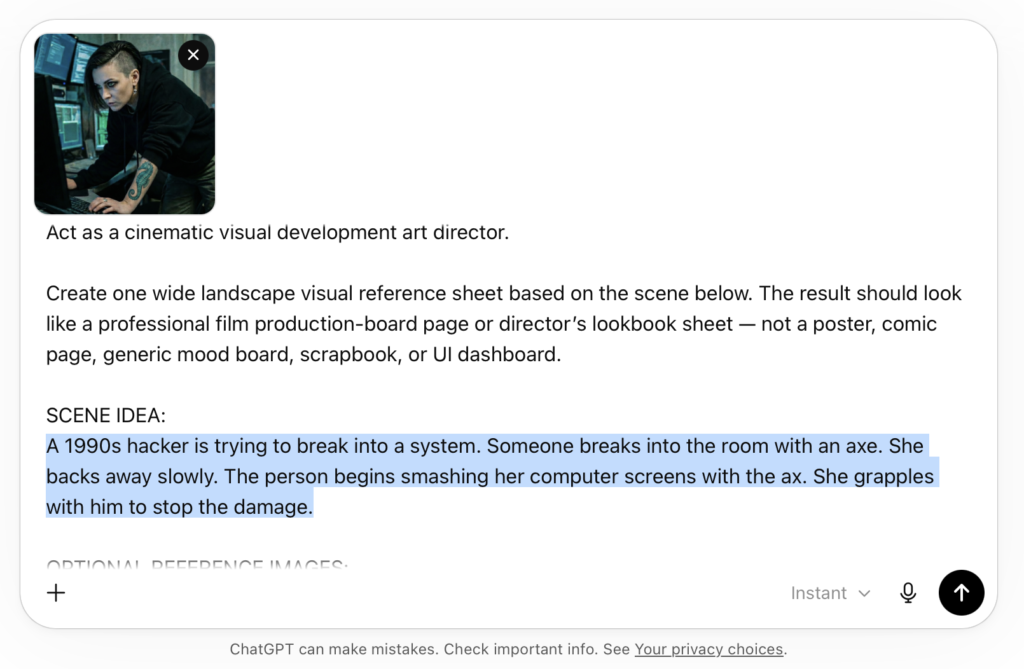
Here is a prompt to copy-and-paste into a chat window or as instructions in a custom GPT. Be sure to describe your scene where it says: [Paste scene idea here]. You don’t need a reference image of the character but I used one.
Prompt for Scene Previews in Image GPT 2
Act as a cinematic visual development art director.

Create one wide landscape visual reference sheet based on the scene below. The result should look like a professional film production-board page or director’s lookbook sheet — not a poster, comic page, generic mood board, scrapbook, or UI dashboard.

SCENE IDEA:
[Paste scene idea here]

OPTIONAL REFERENCE IMAGES:
Use any attached images as production references.
- If an image shows a character, preserve that person’s identity, age range, face shape, hair, body type, wardrobe logic, props, and material details across the sheet.
- If an image shows a location or environment, incorporate its architecture, geography, weather, lighting, textures, palette, and spatial feeling.
- If no references are attached, invent original story-specific characters and environments based on the scene.
- Do not beautify, redesign, or stylize references unless the scene clearly calls for it.

Create a SINGLE visual reference sheet with a clean editorial layout, off-white background, thin black dividers, compact readable labels, and a structured grid.

Include these sections:

TOP BAR: SCENE PREVIEW
Add a header reading “SCENE PREVIEW”.
Include:
- Cut Count: 5
- Color Palette: infer a restrained cinematic palette from the scene
- Environment Fingerprint: a short specific description of the setting and atmosphere
- Visual Rule: one brief sentence that defines the overall visual consistency of the scene

SECTION 1: CHARACTER REFERENCE
Show the main character, or main characters if needed, in a production-reference format.
Include:
- Front view
- Side view
- Back view
- Facial close-up
- Side/profile close-up
- Costume/material details
- Important prop or accessory detail
- Palette swatches
- Brief editorial notes

If there are two important characters, split this into Primary Character and Secondary Character.

SECTION 2: ENVIRONMENT / SET DESIGN
Show the scene environment in a cinematic production-design format.
Include:
- One wide hero environment frame
- One or two supporting set/location frames
- A top-down floor plan or blocking diagram
- Numbered camera positions
- Character movement arrows
- Entrances, exits, landmarks, and key set pieces labeled

The floor plan does not need architectural precision, but it must communicate clear geography and scene logic.

SECTION 3: STORYBOARD
Create a 5-cut storyboard strip showing one continuous scene.
Each shot must maintain continuity of character, wardrobe, lighting, geography, environment, and emotional progression.

For each cut, include:
- Cut number
- Lens choice
- Duration
- Camera movement or camera style
- Shot size
- One concise sentence describing the action and emotional beat

Use professional cinematography language such as:
35mm anamorphic, 50mm anamorphic, 75mm anamorphic, 100mm macro, static, track, dolly-in, crane-up, rack-focus, handheld, steadicam, push-in, wide, medium, close-up, insert, extreme close-up.

SECTION 4: LIGHTING / MOOD / STYLE NOTES
Create a lower strip with supporting visual notes.
Include:
- 3 to 5 small lighting reference frames
- Specific lighting labels
- Mood keywords
- Lens/style notes
- Cinematography notes
- Optional color swatches

STYLE REQUIREMENTS:
The sheet must feel cinematic, premium, realistic, carefully color-graded, and genuinely useful for production planning. Keep the layout clean and restrained. The imagery should have naturalistic lighting, realistic lens behavior, shallow depth of field where appropriate, controlled motion blur, strong framing, consistent color palette, consistent character identity, and clear environment continuity.

AVOID:
- Poster composition
- Comic-book styling
- Generic concept art collage
- Watermarks
- Fake logos
- Gibberish text
- Excessive tiny text
- Repeated identical images
- Inconsistent faces, costumes, time of day, or geography

Before creating the sheet, silently decide the emotional arc, palette, environment fingerprint, camera progression, lighting progression, and final storyboard beat.

Output one complete cinematic visual reference sheet as a single image.
I pasted that prompt plus a reference image into ChatGPT and updated the Scene Idea.
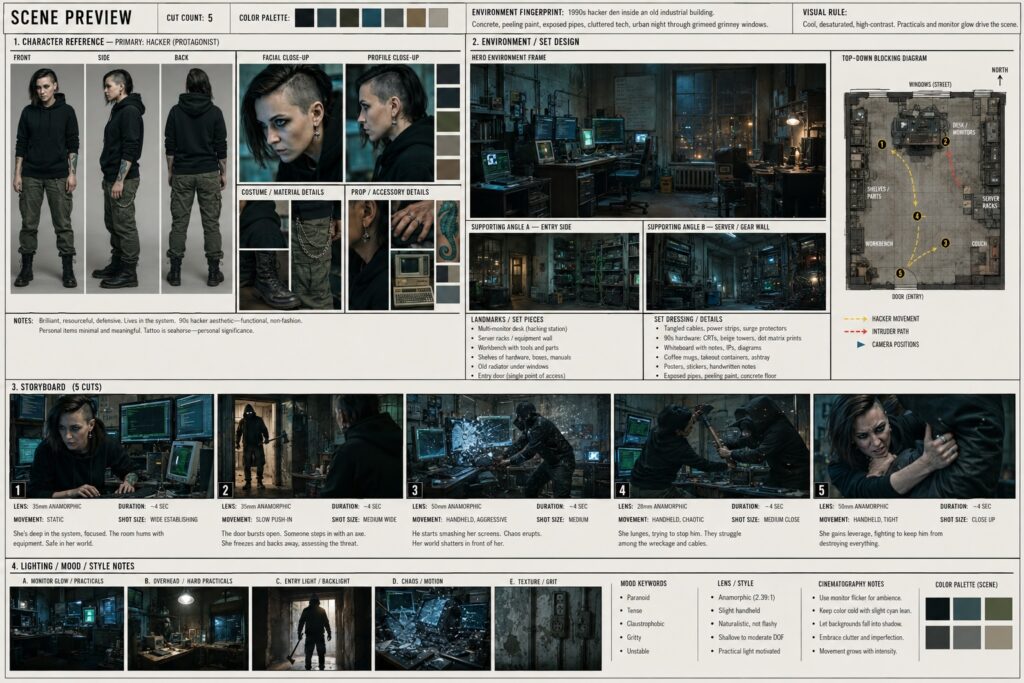
Here is the generated scene preview sheet:
Then I took both the Scene Preview sheet and the original character reference image and brought them into Dreamina. I think it helps to use both. I imagine using a character reference sheet of the character would be even better than a single image.
Here are the prompts and images I used to create “Calamity,” a cinematic AI short film made with Seedream 4.5 and Kling 3.0 Omni inside OpenArt Suite. Watch the full workflow — from casting Cleo to building consistent locations, staging a falling piano, and crashing a car through a cafe wall. Below you’ll find the prompts for each scene so you can adapt them for your own projects.
I share my prompts because I think we all get better when we learn from each other!
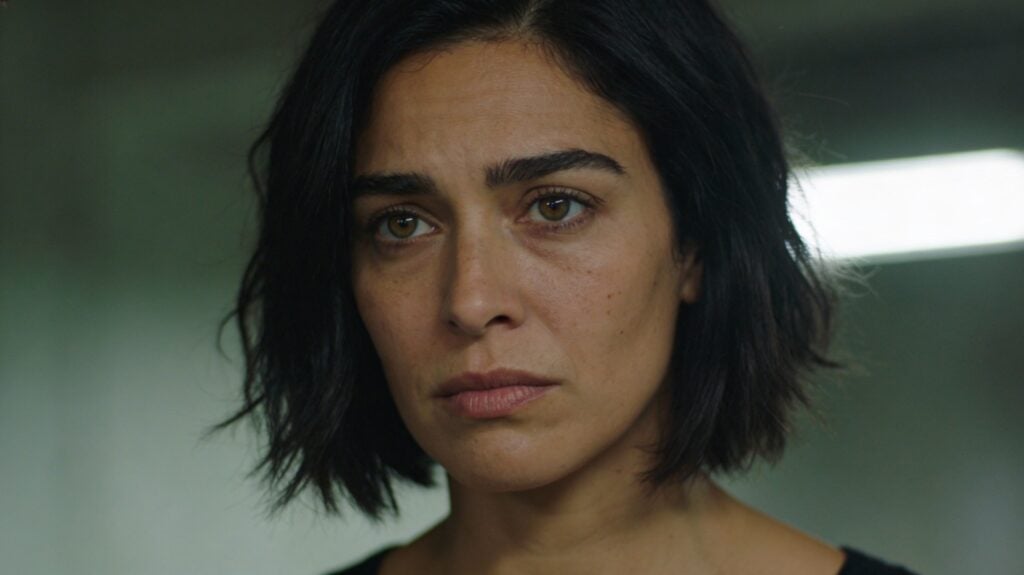
Prompt for Cleo
A cinematic head and shoulders close-up portrait of a 32-year-old woman with olive skin, hazel eyes, dark hair in a rough graduated bob with deliberately, strong brows, and a calm but intense expression. Natural skin texture with subtle imperfections and faint under-eye fatigue. Shot on a 50mm lens, eye-level close-up framing. Shallow depth of field with softly blurred background. Natural, directional lighting with subtle overhead spill and gentle side contrast. Slightly desaturated color grade. Realistic skin texture with natural imperfections. Soft film grain, high dynamic range, cinematic film still, grounded realism, dramatic but understated.
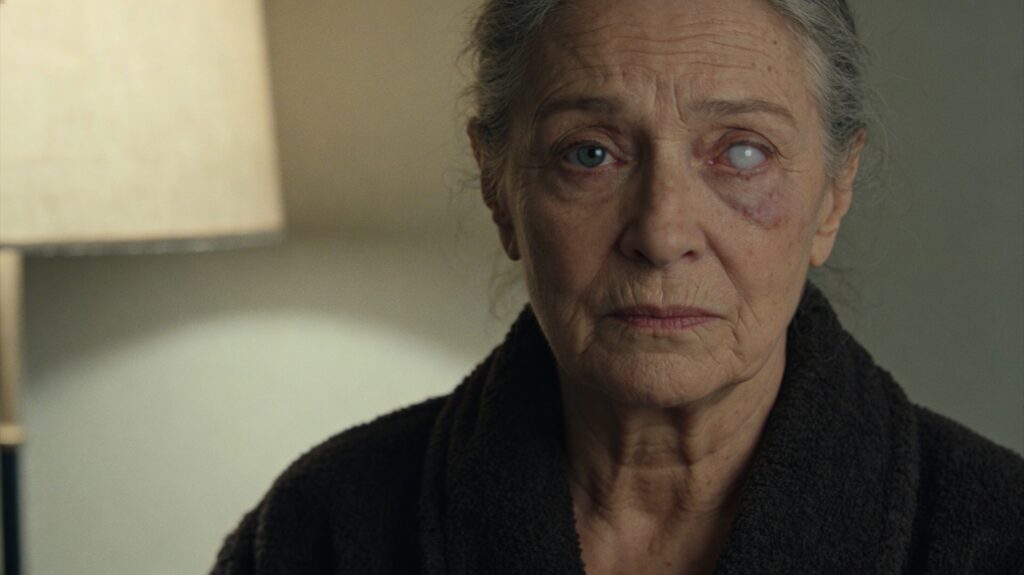
Prompt for Raven, the fortune teller
Cinematic head-and-shoulders portrait of an older woman in her late 60s with a lined, intelligent face and steady presence. Both eyes fully open and facing forward. One eye has a cloudy, milky-white cornea — opaque and desaturated — but the eye is not rolled back, not closed, and not looking upward. The pupil remains centered and natural. The other eye is sharp and observant. Gray hair loosely pinned back. She wears a simple dark wool robe with heavy texture, understated and practical. Calm, unreadable expression with quiet gravity. Natural skin texture with visible age lines. Soft practical interior lighting from a nearby lamp, gentle shadow falloff, muted earthy palette, slightly desaturated. Realistic contemporary photography, 35mm film look, subtle film grain, shallow depth of field.
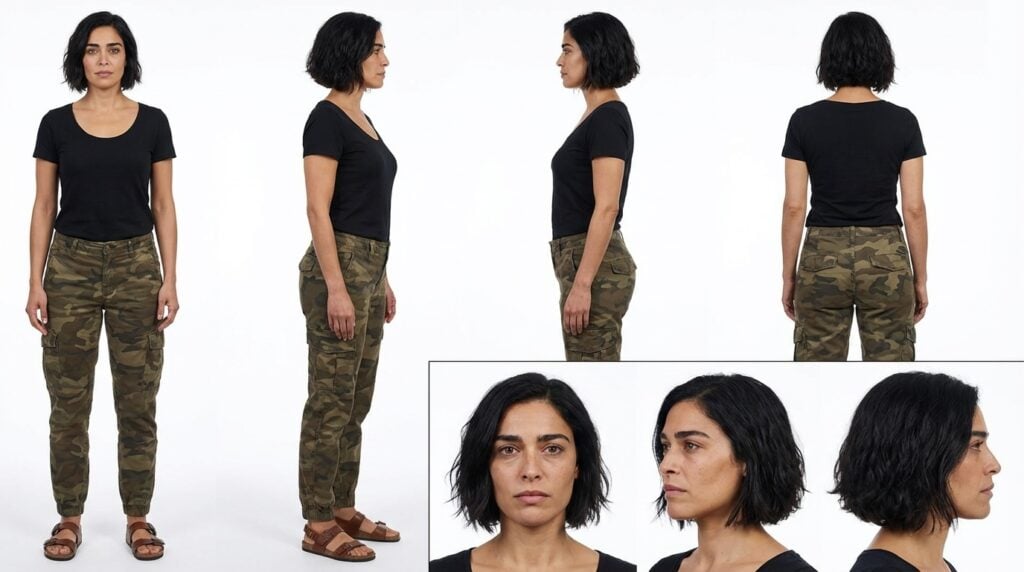
Nano Banana Pro Character Sheet prompt
Character reference sheet of a woman with short dark wavy hair, four full-body views in a row on a clean white background: front view, left profile, right profile, back view. She wears a plain black scoop neck short sleeve shirt, camo cargo pants, and sandals. Relaxed standing pose, consistent identity across all views. Below, three close-up portrait views: front, left profile, right profile. Clean even studio lighting, sharp detail, print-ready technical turnaround sheet.
Kling 3 Multi-cut prompt for fortune teller scene
Eye-level close-up of the fortune teller one eye clouded milky-white @Raven sitting upright across the table. She leans slightly forward, her brow furrowed with concern. The fortune teller (low, raspy voice, slight Eastern European accent, grave serious tone, slow deliberate pacing): “I am afraid to say I see nothing but calamity.”
Eye-level close-up of @Cleo wearing a sage green tunic, one eyebrow raises skeptically. Cleo (warm clear voice of a young woman with a slight Greek accent moderate pacing): “Calamity?”
Eye-level close-up of the fortune teller sitting upright, she taps a tarot card on the table with one ringed finger and shakes her head slowly. The fortune teller @Raven (low, raspy voice, slight Eastern European accent, somber concerned tone, slow measured pacing): “But that’s not all. Your health. I see something very negative for your health
Close-up of @Cleo as she processes the news, her expression shifting from skepticism to quiet worry. She swallows and looks down at the tarot cards. No dialogue, soft ambient room tone.
Kling 3 Multi-cut prompt for piano falling scene
Daytime Portland street, overcast light. Medium tracking shot following @Cleo wearing a plain black scoop neck short sleeve shirt, camo cargo pants, and flat sandals. Same outfit in all shots. She walks along a damp sidewalk with shallow puddles. Ahead are two orange traffic pylons near a street post with a bicycle locked to it. A three-story red brick building with storefront windows and an ornate roof cornice runs alongside her.
Low-angle shot that tilts up from the same damp sidewalk past the two orange traffic pylons and the bicycle locked to the street post, up the three-story red brick building façade with storefront windows and an ornate roof cornice. A black grand piano hangs suspended three stories up by a thick rope. The rope snaps and the piano drops downward out of frame.
Medium shot of @Cleo wearing the same plain black scoop neck short sleeve shirt, camo cargo pants, and sandals, walking forward at the same steady pace. Behind her, the piano slams into the pavement with debris scattering. She does not react or turn around.
Seedream 4.5 prompt in the cafe
Cinematic interior wide shot of a street-level coffee shop, camera inside near the entrance looking toward a large picture window. @Cleo sits at a small table on the right side of frame, her back to the window and her face turned slightly toward camera. She is wearing a plain black scoop neck short sleeve shirt, camo cargo pants, and flat sandals. On the table: a coffee cup and a croissant. Through the window, a T-intersection is clearly visible: a downhill street runs perpendicular straight toward the café window, and a cross street runs left-to-right parallel to the sidewalk. A red compact car is coming downhill directly toward the café, centered in the window view on a clear collision path. Keep the middle of frame open so the car’s impact path is unobstructed. Realistic coffee shop details: menu board, pastry case or counter in soft focus, other tables and chairs, subtle reflections on the glass. Overcast daylight outside, soft natural interior fill. Muted slightly desaturated colors, 35mm film look, subtle grain, natural lens softness, no HDR, no stylized effects.
Nano Banana edit prompt to get the car inside the cafe after the crash
place the car’s hood inside the cafe so the bumper touches the glass pastry case on the left side of the frame and the driver’s side door is directly next to the table with the coffee
Kling 3 prompt for initial car crash
@image1 Wide shot from inside facing the large picture window. @Cleo sits at the small table right side of frame, her back to display case on the right, she is wearing a plain black scoop neck short sleeve shirt, camo cargo pants, and flat sandals. The red car approaches with speed, crashing through the window similar to @image2 . @Cleo stays totally unfazed despite the action happening right in front of her. The old woman driving the car reaches out the window and grabs the croissant, taking a bite. @Cleo remains unfazed.
Kling 3 park bench phone call with her test results
Daytime city park, soft overcast light. @Cleo is wearing a plain black scoop neck short sleeve shirt, camo cargo pants, and sandals sitting alone on a wooden park bench with her iphone next to her, her posture slightly slumped. A few pigeons nearby. Her iPhone vibrates causing the pigeons fly off startled. She looks down at her iphone and sighs, then lifts the phone to her ear.
Closeup profile shot of @Cleo with the phone to her ear. The voice on the other end of the line says, “Hey Cleo, it’s Doctor Patel. We got your test results back. They’re… negative.”
Close up portrait shot of @Cleo. She says (warm clear voice of a young woman with a slight Greek accent moderate pacing and a questioning rising tone): “Negative?” She lowers the phone then repeats peacefully and slowly: “Negative”
Seedream prompt for Cleo’s apartment
Wide interior shot of a city apartment, cozy and lived-in with a bohemian, artsy feel. Lots of plants (hanging pothos, potted monstera, small succulents on shelves), mismatched vintage furniture, a worn rug, stacked books, framed prints leaning against the wall, a small record player or speaker, and a soft lamp glow. A couch sits to one side. By the front door: a small table with a key dish. Late afternoon overcast window light mixed with warm practical lamps, soft shadows. Muted earthy palette (warm browns, olive greens, faded textiles), slightly desaturated. Realistic, cinematic, 35mm film look, subtle grain, natural lens softness, no HDR, no stylized effects, no text or watermark.
Kling 3 prompt for returning home to her cat
Single shot version
Interior, bohemian city apartment @image1 . A normal sized cat@image2 is curled up on the couch, relaxed and sleepy. @Cleo enters through the door wearing a plain black scoop neck short sleeve shirt, camo cargo pants, and sandals. She steps in calmly, crosses to the couch and squats beside the cat @image2 , gently pets it. The cat stirs and purrs. @Cleo looks down at the cat with a small, relieved smile and says (warm clear voice of a young woman with a slight Greek accent slow pacing and clear enunciation): “Hello, Calamity.” Lip movements and facial expressions are natural and coherent. The cat @image2 purrs and @Cleo smiles. Camera direction: The camera should smoothly follow @Cleo throughout the shot ending with a close-up on @Cleo and the cat together, ending on her face and the cat’s content expression. Cinematic realism, muted earthy tones, subtle film grain, natural lens softness. No background music.
Multi-shot version
Interior, bohemian city apartment @apartment. A normal sized cat @Cat is already lying on the couch, relaxed and sleepy. @Cleo enters through the door wearing a plain black scoop neck short sleeve shirt, camo cargo pants, and sandals. She steps in calmly, crosses to the couch and squats beside the cat @Cat, gently pets it. The cat stirs and purrs. Camera direction: The camera should smoothly follow @Cleo
Medium close up @apartment showing @Cat being pet by @Cleo who says (warm clear voice of a young woman with a slight Greek accent slow pacing and clear enunciation): “Hello Calamity.” The cat purrs and she smiles. The camera lingers on the companionship. Cinematic realism, muted earthy tones, subtle film grain, natural lens softness. No background music.
And of course… Calamity
cinematic shot of a Bengal cat on a clean plain light-gray seamless background. Shot as studio photography on a 50mm lens at eye-level. Natural directional lighting with subtle overhead spill and gentle side contrast, soft controlled shadows on the floor. Slightly desaturated color grade. Soft film grain, natural lens softness, realistic exposure, cinematic film still look, grounded realism. Print-ready technical turnaround sheet. No props, no environment, no text, no watermark.
Creating consistent voices for your characters helps keep your audience engaged in the story of your AI movie. While the best results often require using multiple tools and additional editing, sometimes you want a method that’s “close enough” and can be done while generating your videos. To be clear, this method does not result in perfect results every time, but it should help you get more consistent voices simply by adding a few things to your prompt.
To create consistent character voices across multiple shots in AI video, use this format:
He/She says in the voice of a [AGE] [GENDER], [TIMBRE], [TONE], [PACING]: dialogue
Examples of AI voice prompts:
She says in the voice of a middle-aged woman, warm and measured, gentle tone, deliberate pacing: “Thanks for meeting me here.”
He says in the voice of a weathered middle-aged man, deep and gravelly, matter-of-fact tone, slow pacing: “I knew something was wrong.”
She says in the voice of a young woman, sharp and clear, dropping to urgent whisper, faster pacing: “No one can know about this.”
Use My Free Prompt Template!
Cut and paste the Five Essential Elements for AI Voice Prompts listed below into your favorite AI assistant (ChatGPT, Gemini, Claude, Grok, etc). Then describe the voice or upload an image of the character and ask for a voice prompt. Iterate and refine the prompt. Have fun making your AI film!
Keep AGE, GENDER, and TIMBRE the same across all shots for each character (this is their “voice signature”)
Vary TONE and PACING based on emotion (angry = faster, sad = slower, etc.)
Be specific – “middle-aged woman, warm and measured” is better than just “woman, nice”
Use 2-4 descriptors total after age/gender – more can confuse the AI
Quick Reference:
Character signature: [age] [gender], [timbre] Current emotion: [tone], [pacing] Complete tag: in the voice of a [age] [gender], [timbre], [tone], [pacing]
Creating consistent characters is essential for AI filmmaking. Sometimes it’s easy to generate images of a consistent character, but when those images are turned into video, the character starts to look different when they turn or move. What we need to show our AI model is what our character looks like from every angle we plan to show them in.
I use a technique that allows you to take a single photo of your subject, turn it into a reference sheet, and then use that as an element for generating videos or images with consistent characters. Plus, we can change their wardrobe for different scenes too.
Reference image
This is the reference I first tried this with. I wanted a space mechanic with some tattoos and other identifying features. The image itself is dimly lit and it’s not a full body shot. I chose it for those reasons on purpose, for testing purposes.
Once you have your reference image, generate the character sheet using the prompt at the end of this post. I’m going to use Nano Banana in Google Flow. This should also work if you’re using Nano Banana in an all-in-one tool like Higgsfield, OpenArt, Leonardo, or Freekpik.
Notice how the tattoo on her neck is the same. In the video, her neck tattoo remains consistent even when she turns around or is off camera then faces camera again.
Once you have this reference sheet, use it as an element or ingredient in your video generator. This means the generator has to support “references” “ingredients” or “elements,” which are different names for the same thing.
You can also change the character’s wardrobe with a simple prompt, also at the end of this post.
Free Consistent Character Prompts
Here are some prompt templates that I found work well in Nano Banana Pro.
Consistent Character Prompt with a Reference Image
Prompt to create a character reference sheet Create a professional character reference sheet based strictly on the uploaded reference image. Use a clean, neutral plain background and present the sheet as a technical model turnaround while matching the exact visual style of the reference (same realism level, rendering approach, texture, color treatment, and overall aesthetic). Arrange the composition into two horizontal rows. Top row: four full-body standing views placed side-by-side in this order: front view, left profile view (facing left), right profile view (facing right), back view. Bottom row: three highly detailed close-up portraits aligned beneath the full-body row in this order: front portrait, left profile portrait (facing left), right profile portrait (facing right). Maintain perfect identity consistency across every panel. Keep the subject in a relaxed A-pose and with consistent scale and alignment between views, accurate anatomy, and clear silhouette; ensure even spacing and clean panel separation, with uniform framing and consistent head height across the full-body lineup and consistent facial scale across the portraits. Lighting should be consistent across all panels (same direction, intensity, and softness), with natural, controlled shadows that preserve detail without dramatic mood shifts. Output a crisp, print-ready reference sheet look, sharp details.
Consistent Character Prompt with No Reference Image
Create a professional character reference sheet of [PUT YOUR CHARACTER DESCRIPTION HERE]. Use a clean, neutral plain background and present the sheet as a technical model turnaround in a photographic style. Arrange the composition into two horizontal rows. Top row: four full-body standing views placed side-by-side in this order: front view, left profile view (facing left), right profile view (facing right), back view. Bottom row: three highly detailed close-up portraits aligned beneath the full-body row in this order: front portrait, left profile portrait (facing left), right profile portrait (facing right). Maintain perfect identity consistency across every panel. Keep the subject in a relaxed A-pose and with consistent scale and alignment between views, accurate anatomy, and clear silhouette; ensure even spacing and clean panel separation, with uniform framing and consistent head height across the full-body lineup and consistent facial scale across the portraits. Lighting should be consistent across all panels (same direction, intensity, and softness), with natural, controlled shadows that preserve detail without dramatic mood shifts. Output a crisp, print-ready reference sheet look, sharp details.
Changing the Wardrobe in Character Sheet in Nano Banana
Keep the same character sheet layout. Keep their physical characteristics and expression the same. Change the outfit to [outfit description or reference to image].
Making a cinematic movie is more than just typing a prompt and letting AI do all the work. It involves combining multiple steps into a cohesive workflow. This free AI mini-course shows you how to create a cinematic short film using Kling and Veo.
First, let’s watch the movie you’ll learn how to make “Discarded Companion,” created using Kling 01, Veo 3.1, and ElevenLabs.
Learn the tools: Kling O1, Nano Banana, Google Flow
Before making “Discarded Companion,” I started comparing Kling O1 to Google Flow. Kling O1 is an all-in-one approach to using elements to create images and video. Google Flow combines Veo and Nano Banana (image generation and editing) into one easy to use tool.
In this discovery process, I realized the capabilities of the tools opened up the possibilities for even more realistic and engaging storytelling. If you don’t know how to use Kling or Google Flow, this should set you off on the right path to knowing the essentials.
My in-depth AI video workflow for Discarded Companion
After making “Discarded Companion,” I showed how I generated every character and scene in the movie. This includes how to edit clips together for longer sequences. The video contains chapters so you can find the section you’re most interested in learning about.
Some links on this site are affiliate links. If you purchase through them, I may earn a small commission at no extra cost to you. This helps support AI Video School and allows me to keep creating free tutorials. I only recommend tools I actually use in my filmmaking workflows.